
Managing 10+ WordPress Sites? What Actually Breaks (and What to Do About It)
There’s a version of running a WordPress agency that works beautifully. You pick a solid theme, install the plugins you trust, choose reliable hosting, set up automated backups, and move on to the next client. For your first five or six sites, this approach is almost frictionless.
Somewhere around site ten, it stops working. This is not because anything dramatic happens, but because the small inefficiencies you could afford to ignore start compounding.
A plugin update breaks a contact form on one site. A traffic spike on a client’s landing page slows down two other sites sharing the same server. Someone on your team spends a Tuesday afternoon troubleshooting a caching conflict instead of building the project that’s actually on the sprint board.
None of these are crises. That’s what makes them dangerous. They’re the kind of problems that don’t show up on a dashboard but eat ten or fifteen hours a week across your team. This post is about those problems: what they actually look like, why they get worse as you grow, and what the agencies that scale past them tend to do differently.
Performance Gets Unpredictable
When you’re running three sites, you can usually trace a performance issue back to its source within an hour. Maybe a bloated page builder is generating too many DOM elements, or an unoptimized image gallery is loading 4MB of photos above the fold. You fix it, move on.
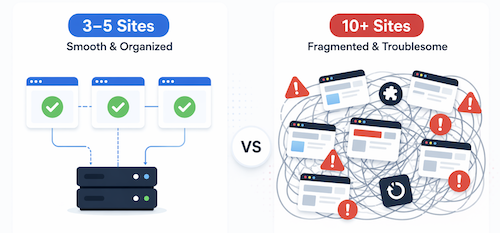
At ten-plus sites, the performance picture gets murkier. Shared hosting resources mean that Site A’s traffic spike can degrade Site B’s response time, even though nothing about Site B changed.
You start seeing inconsistencies that don’t have clean explanations. One WooCommerce store loads in 1.8 seconds while a similar build on the same server takes 4.5 seconds. The difference turns out to be some combination of a poorly configured object cache, a cron job running during peak hours, and a plugin that makes an external API call on every page load.
The frustrating part isn’t diagnosing any single issue. It’s that these investigations start happening weekly, and each one pulls someone away from client work. Performance at this scale isn’t a technical problem you solve once; it’s an operational cost you pay continuously.
The Plugin Sprawl Problem
Every client has different needs, and WordPress’s plugin ecosystem is what makes it flexible enough to serve all of them. But that flexibility has a cost that compounds with every site you add to your portfolio.
Consider a concrete example: you manage 12 sites.
Three use Gravity Forms
Four use WPForms
Two use Contact Form 7 (because those clients were already using it when they came to you)
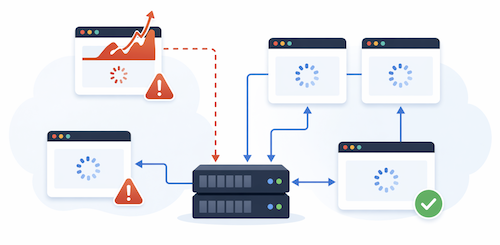
Each form plugin has its own update cycle, its own compatibility quirks, and its own way of handling things like GDPR consent and spam filtering. When Gravity Forms pushes a major update, you need to test it against the specific themes and page builders running on those three sites before you can confidently hit “Update.” Multiply that across every plugin category, including SEO, caching, security, and page building, and you start to see why agencies develop an update backlog.
The backlog is the real problem. Teams stop updating plugins because updates have burned them before. A WooCommerce update broke a checkout flow last month, so now nobody wants to touch it. But delaying updates means accumulating security vulnerabilities and falling behind on compatibility.
Security Scales in the Wrong Direction
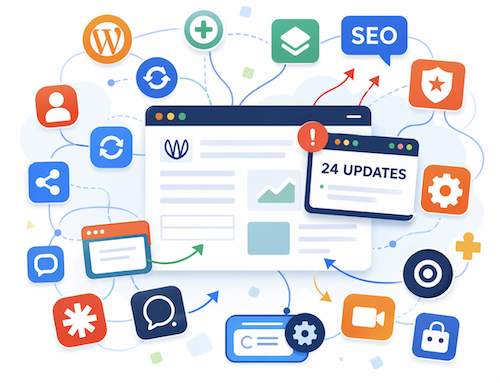
Every WordPress site in your portfolio is a separate attack surface. Each has its own set of plugins (each a potential vulnerability), its own admin users (each a potential weak password), and its own file permissions. If you’re managing fifteen sites, you’re maintaining fifteen separate security postures.
The math gets uncomfortable quickly. A vulnerability disclosure in a popular plugin means you need to check fifteen sites to see which ones are affected, prioritize patching based on exposure, and verify the patches don’t break anything.
If one site gets compromised because someone forgot to update a plugin three months ago, the cleanup can consume a full week of work. Most agencies handle security reactively because proactive security across a large portfolio is genuinely time-consuming. But reactive security at scale is expensive in ways that go beyond hours: it costs client trust, and client trust is harder to rebuild than a hacked site.
Maintenance Crowds Out Growth
This is the problem that agency owners feel most acutely, even if they struggle to quantify it. At some point, your team’s week becomes dominated by maintenance:
Updating plugins
Monitoring uptime
Restoring a backup after a failed update
Chasing down why a client’s SSL certificate didn’t auto-renew
Individually, none of these tasks take long. Collectively, they can easily account for 15 to 20 hours a week across a small team. That’s 15 to 20 hours not spent on new client projects, not spent improving your service offerings, and not spent on the work that actually grows your revenue.
The insidious thing about maintenance work is that it’s always urgent. Growth work is perpetually deprioritized in favor of keeping the lights on, and over time, the agency stalls without anyone being able to point to a single moment where it happened.
Your Tool Stack Wasn’t Designed to Work Together
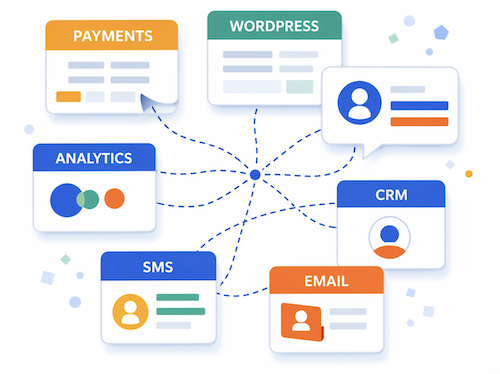
A typical agency managing WordPress sites also uses a patchwork of disconnected software:
A CRM for lead tracking
An email marketing platform
An SMS tool
A funnel builder
An analytics suite
A project management tool
Each of these works well in isolation. The problem is the seams between them.
A lead comes in through a WordPress form. Someone manually copies the info into the CRM. An email sequence gets triggered, but the SMS follow-up lives in a different tool. When a client asks, “How did that lead find us and what happened after they filled out the form?” answering that question requires checking three or four different platforms.
At ten-plus sites with multiple clients and team members, this disconnection generates real costs: duplicated data entry, missed follow-ups, and time spent just figuring out what happened where.
Adding Up the Actual Cost
When you put all of this together, the numbers are hard to ignore. If your team spends even two hours per week per site on maintenance, updates, troubleshooting, and operational overhead, that’s twenty hours a week for ten sites.
At a blended team cost of $50/hour, that’s roughly $4,000 a month in labor that isn’t generating new revenue.
The agencies that struggle to grow past a certain point usually aren’t lacking clients or talent. They’re buried in operational overhead that leaves no room for anything else.
What Agencies That Scale Past This Actually Do
The agencies that manage twenty, fifty, or a hundred sites without drowning in maintenance tend to share a few habits. None of them are revolutionary. They’re just disciplined about simplification.
They standardize aggressively. Instead of accommodating whatever plugins each client happens to prefer, they pick one form plugin, one SEO plugin, one caching solution, and use them across every project. This cuts the testing surface dramatically and means the team develops deep expertise with a smaller set of tools.
They centralize management. Instead of logging into fifteen separate WordPress dashboards, they use tools that let them push updates, monitor uptime, and manage backups from a single interface. This isn’t about convenience—it’s about making it possible for one person to maintain oversight of a large portfolio without spending their entire day on it.
They reduce their tool count. This is the hardest shift for most agencies, because it means replacing comfortable, familiar tools with platforms that consolidate multiple functions. But the operational benefits of having your CRM, email, SMS, and website hosting in the same system compound in ways that are hard to appreciate until you’ve experienced it. Data flows automatically. Workflows don’t break at the seams. Reporting doesn’t require exporting CSVs from four different dashboards.
HighLevel was built for exactly this kind of consolidation. It brings hosting, CRM, marketing automation, and client communication into a single platform, which means fewer integration points to maintain, fewer tools to train your team on, and fewer places where data gets lost in transit. It’s not the only way to solve the fragmentation problem, but it’s designed specifically for the agency model—which is why the platform keeps showing up in conversations about scaling past the operational ceiling that most agencies hit around the ten-to-twenty site mark.
The Takeaway
If your agency is managing ten or more WordPress sites and the overhead is starting to feel unsustainable, the problem probably isn’t that you need better hosting or a faster server. The problem is structural: too many disconnected tools, too much plugin variation, and too much maintenance work competing with growth work for your team’s limited hours.
The fix isn’t working harder. It’s simplifying the system you’re working in. Standardize your stack, centralize your management, and seriously evaluate whether your current collection of tools could be replaced by something more integrated. The agencies that grow past this stage are the ones that treat operational complexity as the real constraint—not client acquisition, not talent, not even budget.


