

Release Radar blog for the week of August 24th
August 24th - August 28th 2026
Big updates just dropped on Release Radar and this week is all about giving you more control and creative power across your entire workspace. From automated spam detection to multimedia generation and conditional custom fields. Here’s what just launched and how it can make things easier for you.
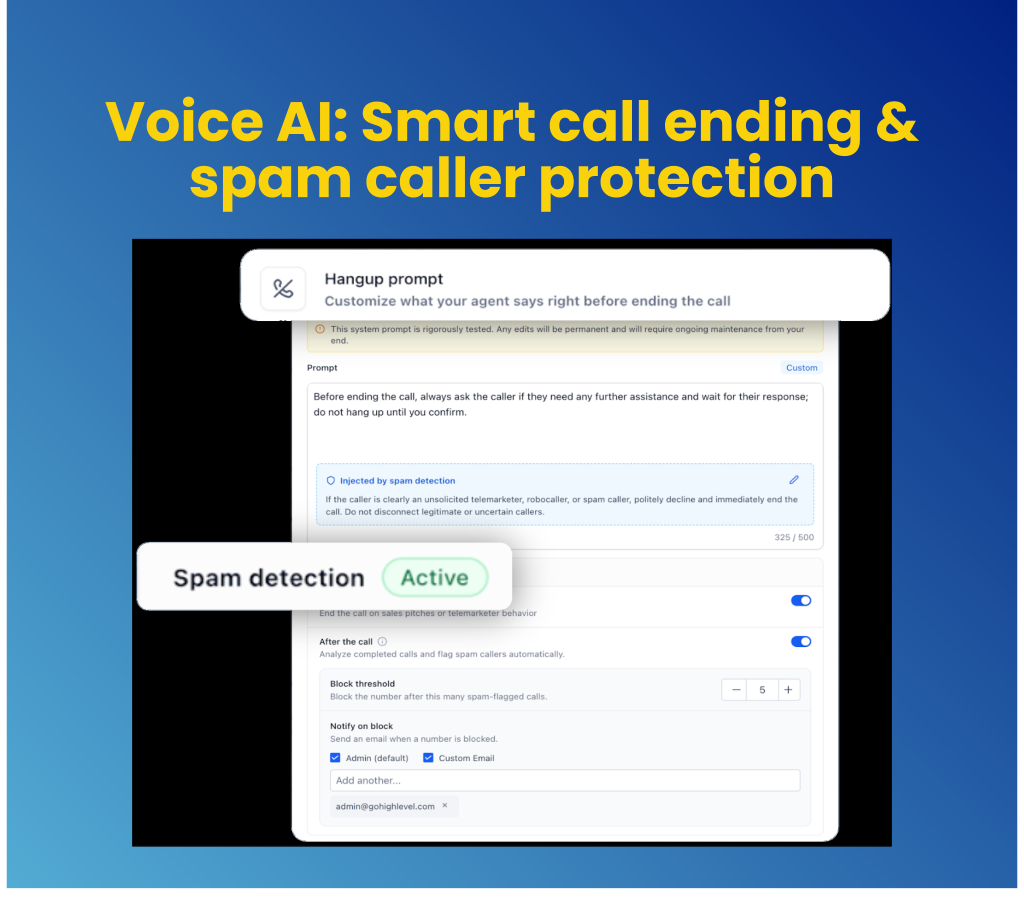
Reduce wasted minutes using automated Voice AI spam detection and call controls
Telemarketers, robocalls, and silent probes can quickly exhaust your Voice AI call minutes and clog your pipeline. The upgraded Agent Builder introduces real-time spam detection, customizable hangup prompts, and automatic number blocking to keep your AI agents focused on real prospective clients.
Terminate unwanted calls automatically: Identify sales pitches or robocalls during live conversations and instruct your agent to gracefully end the call before wasting minutes.
Block repeat offenders in your CRM: Automatically place flagged numbers on Do-Not-Disturb when they hit your chosen daily call threshold and send instant admin email alerts.
Get started with this feature
Go to Settings → Labs and enable the feature for your sub-account
Navigate to Voice AI → Agent Builder → Actions
Select End Call, toggle Spam Detection, set your block threshold and configure notification settings
Generate videos and voiceovers natively with Ask AI
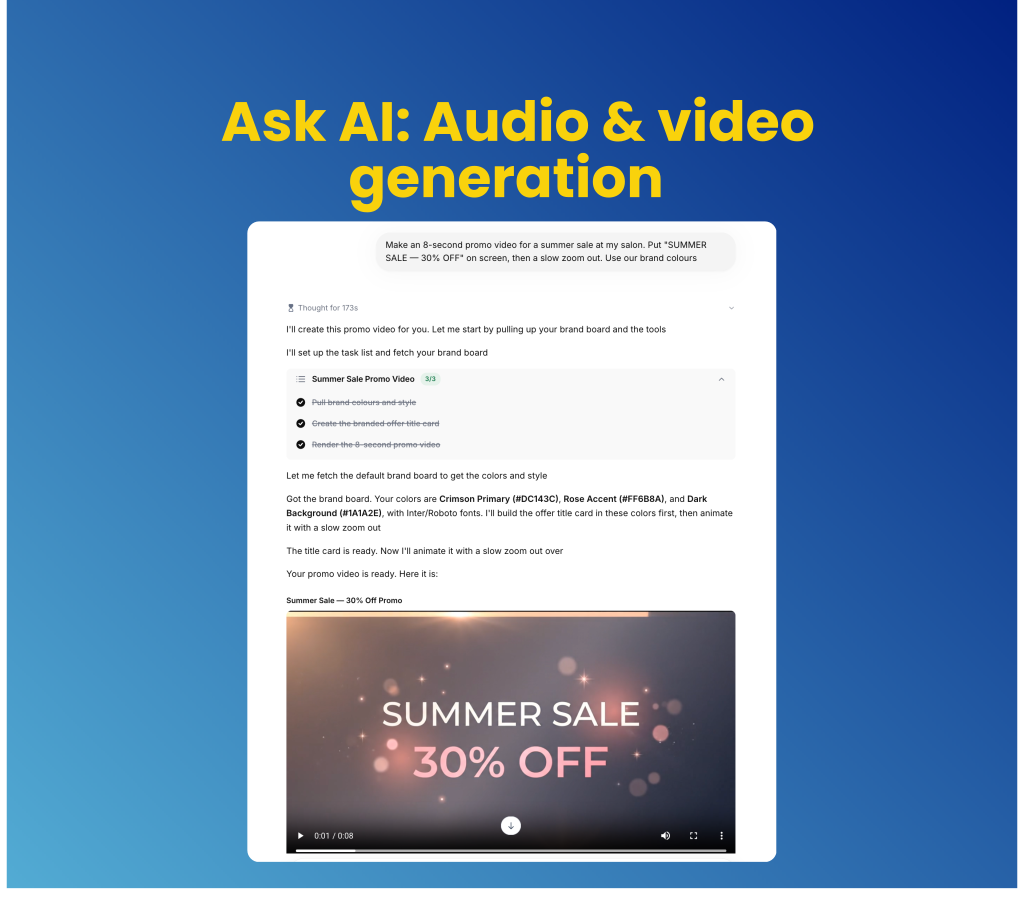
Creating multimedia content for marketing campaigns usually requires separate subscription platforms and complex editing workflows. Ask AI now expands beyond text and images to generate short video clips with synchronized audio and studio-quality voiceovers directly inside your workspace.
Animate static images with Google Veo: Generate 4K video clips, anchor animations to existing start/end frames and preserve crisp text overlays using precise camera controls.
Customize voiceovers with targeted tone: Turn scripts of up to 4,000 characters into natural voiceovers using ten distinct voice profiles with adjustable pacing, emotion and audio export formats.
Get started with this feature
Open Ask AI from your main navigation menu
Select Video or Voiceover generation mode
Enter your prompt, adjust style and audio parameters and click Generate
Automate form, survey, and quiz availability with custom scheduling rules
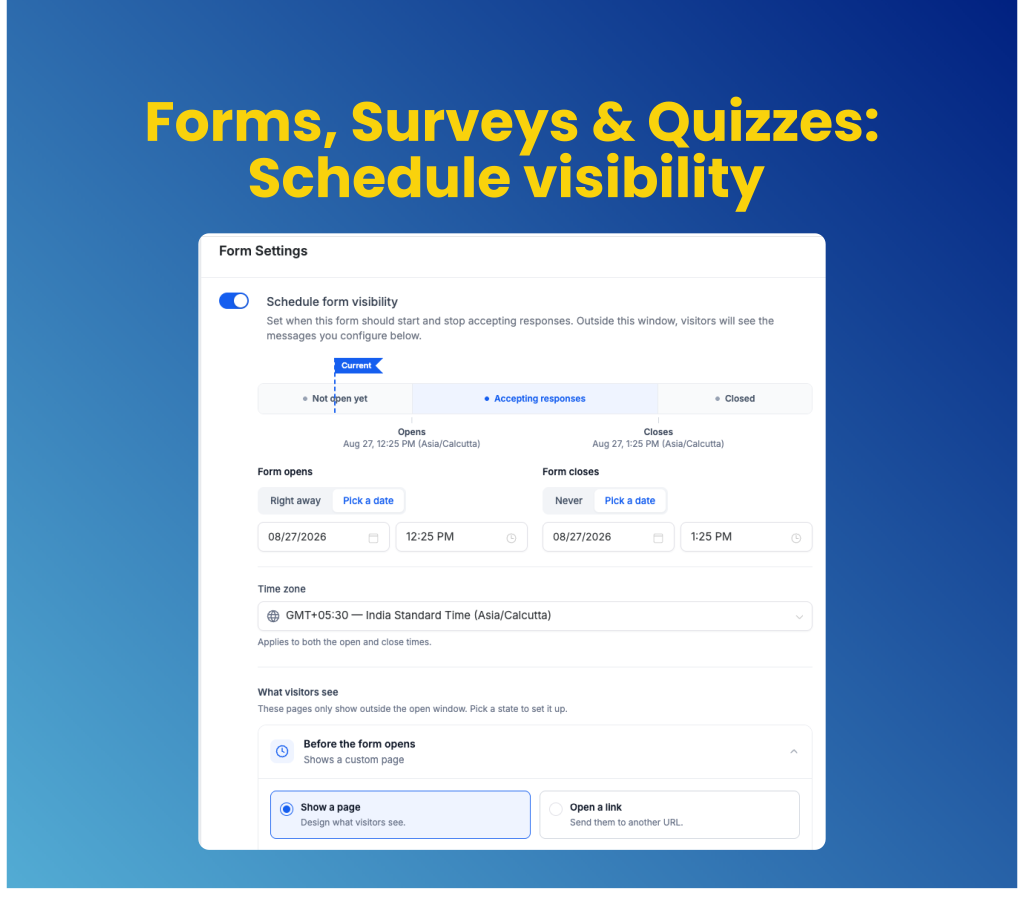
Running time-sensitive webinars, flash sales, or contest registrations used to require manually removing forms to prevent late submissions. The new Schedule Visibility settings let you set precise opening and expiration dates for forms, surveys, and quizzes while automatically directing visitors to custom landing pages or external URLs outside the active window.
Schedule precise campaign launch windows: Set opening and closing dates with specific time zone controls so lead forms go live and expire automatically.
Customize pre-launch and expired visitor experiences: Display tailored "opening soon" messages or automatically redirect visitors to alternative offers when submission deadlines pass.
Get started with this feature
Go to Sites → Forms (or Surveys / Quizzes) and open your asset
Click Settings → enable Schedule visibility
Set your Opening Condition, Closing Condition and Time Zone
Choose your inactive visitor experience (Show a page or Open a link) and click Save
Display and require opportunity fields based on custom conditional rules
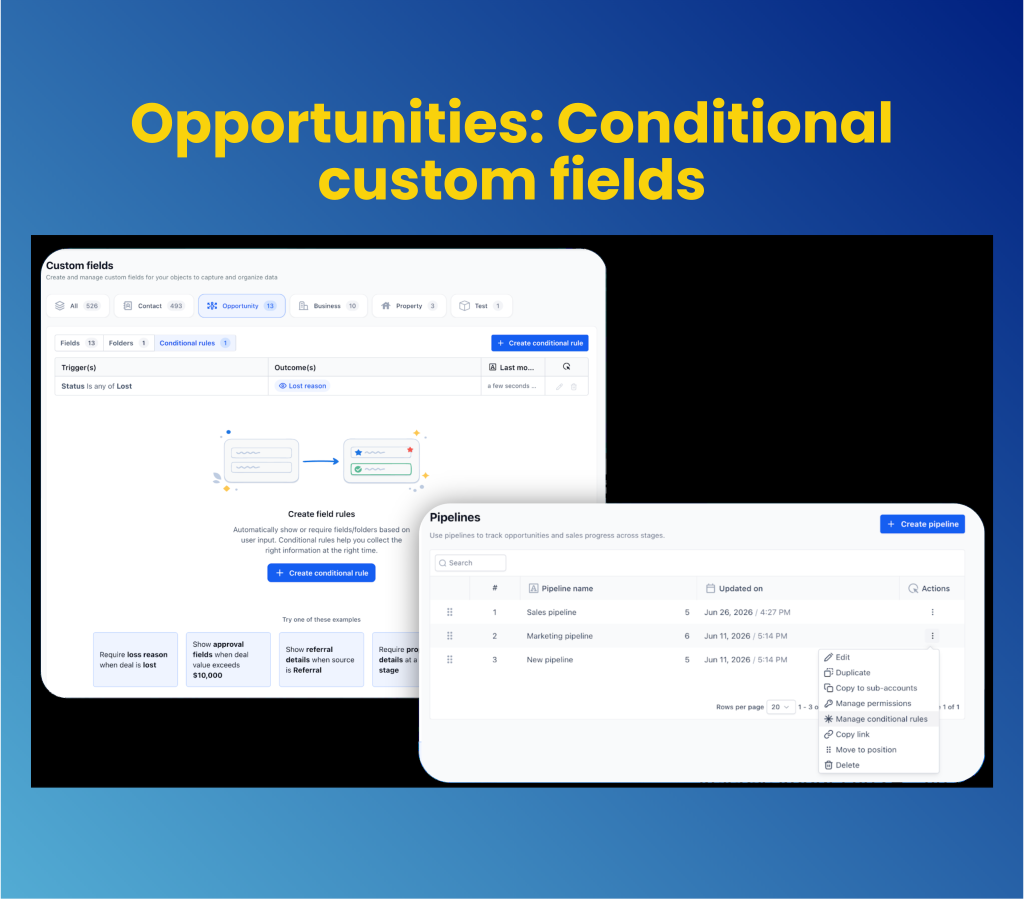
Opportunity forms often become cluttered with irrelevant fields, leading to incomplete pipeline data and inconsistent sales processes. The new Conditional Custom Fields feature gives admins precise control to display or require specific fields and folders based on pipeline stages, statuses, or custom field logic.
Enforce stage-specific required fields: Make key opportunity fields mandatory based on pipeline progress to ensure complete data before deals move forward.
Keep forms clean with dynamic visibility: Hide irrelevant fields and folders automatically until specific trigger conditions are met across web and mobile.
Get started with this feature
Go to Settings → Labs and enable Show & Require Opportunity Fields Conditionally
Navigate to Settings → Custom Fields → click Create conditional rule
Select Opportunity Conditional Rules, define your AND/OR logic and select your action (Show field, Show folder or Make mandatory)
Review in the preview panel and click Save rule
(Alternative: Go to Settings → Opportunities & Pipelines → Actions → Manage conditional rules)
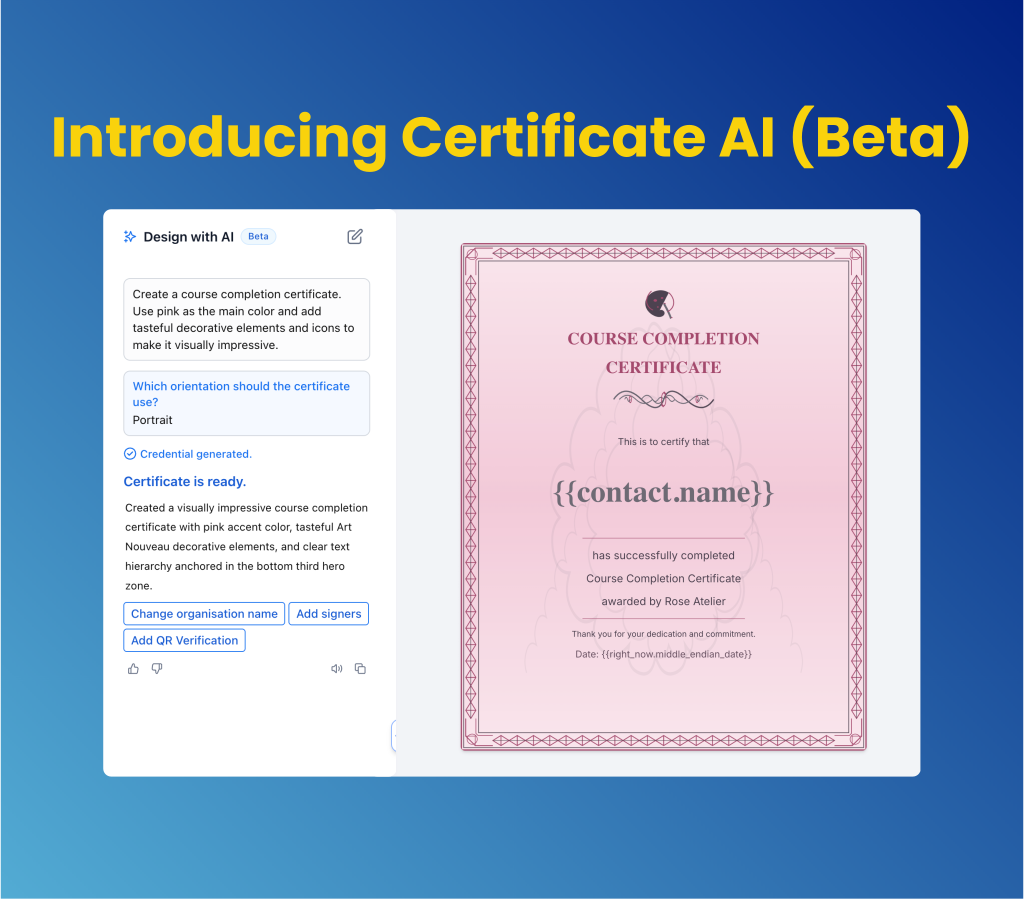
Generate customizable certificate designs instantly with Certificate AI
Designing custom certificates for course completions, events, or client milestones often means building layout elements from scratch or tweaking rigid templates. The new Certificate AI Beta lets you describe your certificate needs in plain language to generate a complete, fully editable design in seconds.
Convert plain prompts into complete layouts: Describe your occasion, branding, signer details and layout preferences to generate custom certificate designs instantly.
Refine generated assets inside the builder: Open AI-generated certificates directly in the Certificate Builder to fine-tune text, frames, signatures and QR codes before issuing.
Get started with this feature
Go to Memberships from the main navigation menu → Credentials
Click Create → Certificate AI
Type your prompt describing the occasion, branding and signer details
For a complete overview of this week’s updates 👉🏻check out the slides here.
New to HighLevel? Start a FREE TRIAL today!


