
Release Radar Blog for the Week of March 23rd
March 23rd - March 27th 2026
Time Stamps
📢 00:00 Weekly Recap Kickoff
⭐ 01:26 Review Requests Filters
📊 02:17 Opportunities Tab Returns
⚠️ 03:53 A2P Rejection Clarity
⚙️ 04:49 Workflow Builder Upgrades
🔗 07:06 Fathom Workflow Integration
📍 08:36 Service Location Booking
💬 09:40 WhatsApp API Boost
💳 13:07 Mobile Payments Access
🎨 14:24 AI Brand Boards
🤖 15:16 Conversation AI Expands
💻 18:01 Linux Desktop App
🧠 20:05 Agent Studio Actions
📈 21:36 Funnel Analytics Drilldowns
🌈 22:40 Brand Colors Everywhere
🗂️ 24:10 Media Library Updates
📝 24:25 Marketplace Review Summaries
✨ 24:54 Ask AI New UI
🎯 26:48 Pipeline Colors Navigation
🔍 27:45 Advanced Opportunity Filters
📥 29:16 Community Import Improvements
🗣️ 29:51 Voice AI Onboarding Orb
🔄 33:16 More Enhancements Roundup
🧩 33:55 Custom Fields UI Refresh
🚀 34:55 Workflow AI Builder Expansion
⏱️ 36:26 Conversation SLA Reporting
🏁 38:18 Agent Studio Launch
🛠️ 38:56 AI Studio Capabilities
🔮 43:46 Coming Soon Computed Fields
📦 45:45 Custom Object Templates
🎬 46:50 Live AI Studio Demo
🍕 50:09 Pizza Site Results Wrap
🔥 Featured Releases 🔥
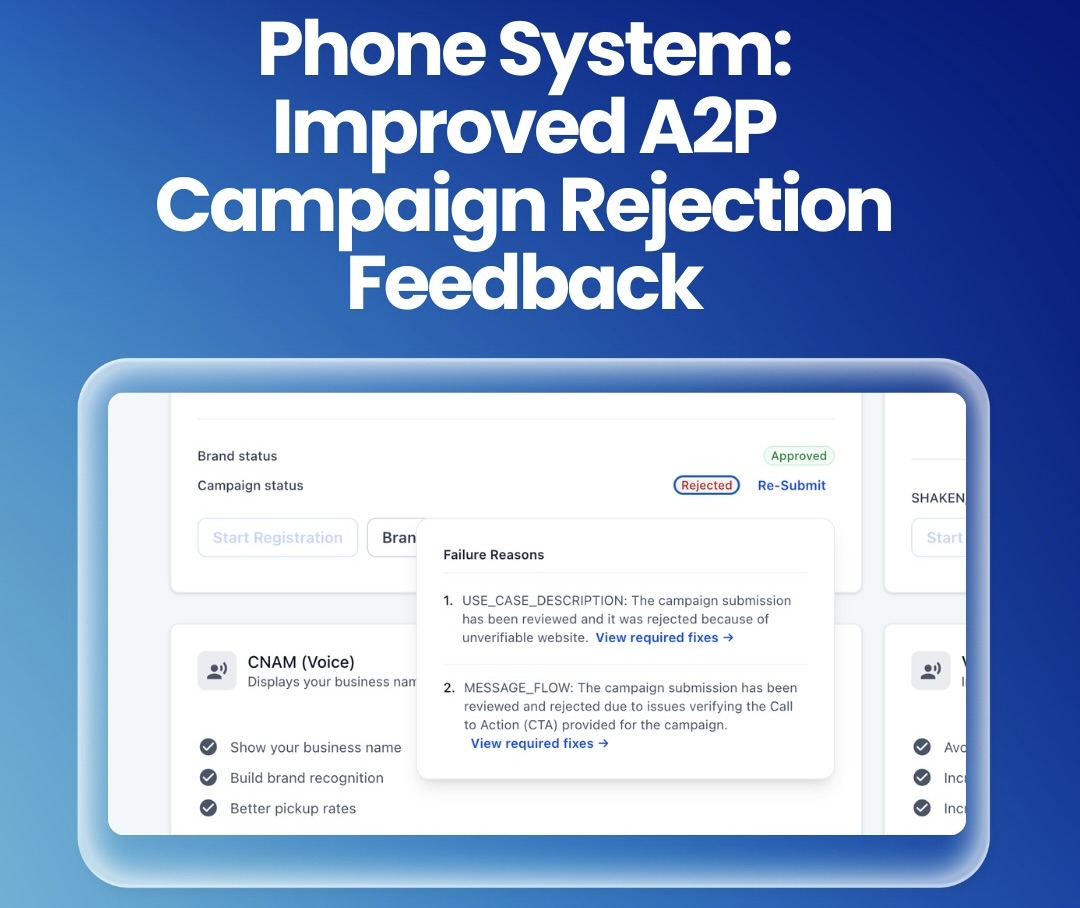
Phone System: Improved A2P Campaign Rejection Feedback
We've made it easier to understand why your A2P campaign was rejected and exactly what you need to do to fix it.
Now, when a campaign submission is rejected, you’ll see a “View required fixes" beside each rejection reason. Clicking it opens a detailed modal with the carrier error code, a clear rejection category, a plain-language explanation of what it means and the exact correction needed before you re-submit, so you can resolve issues faster with less support help and resubmit confidently.
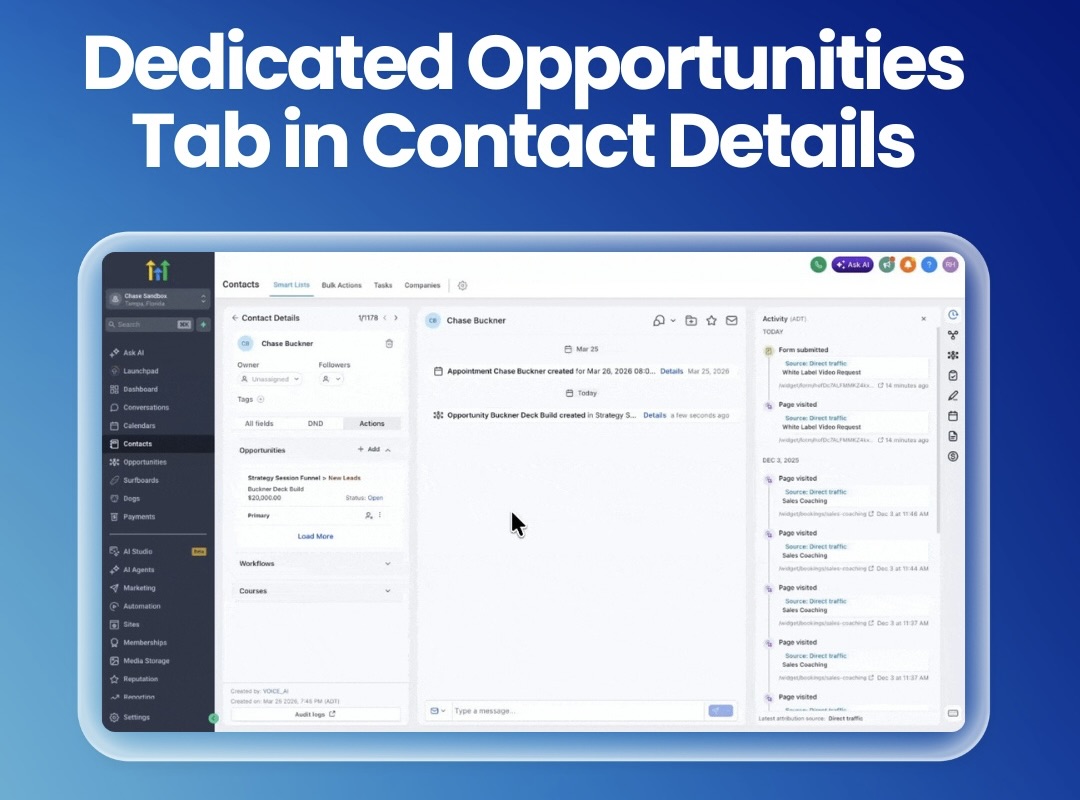
Dedicated Opportunities Tab in Contact Details
We've made it easier than ever to access opportunities, with improved visibility, faster navigation and a more intuitive layout, while we keep building even more customization into the contact page.
Based on customer feedback, opportunities are now easier to find with a dedicated Opportunities tab in the right-hand panel of a contact record, separate from associations. During the transition, opportunities will be available only in the right panel, as we continue working on deeper contact page customization so admins can reposition tabs and tailor layouts.
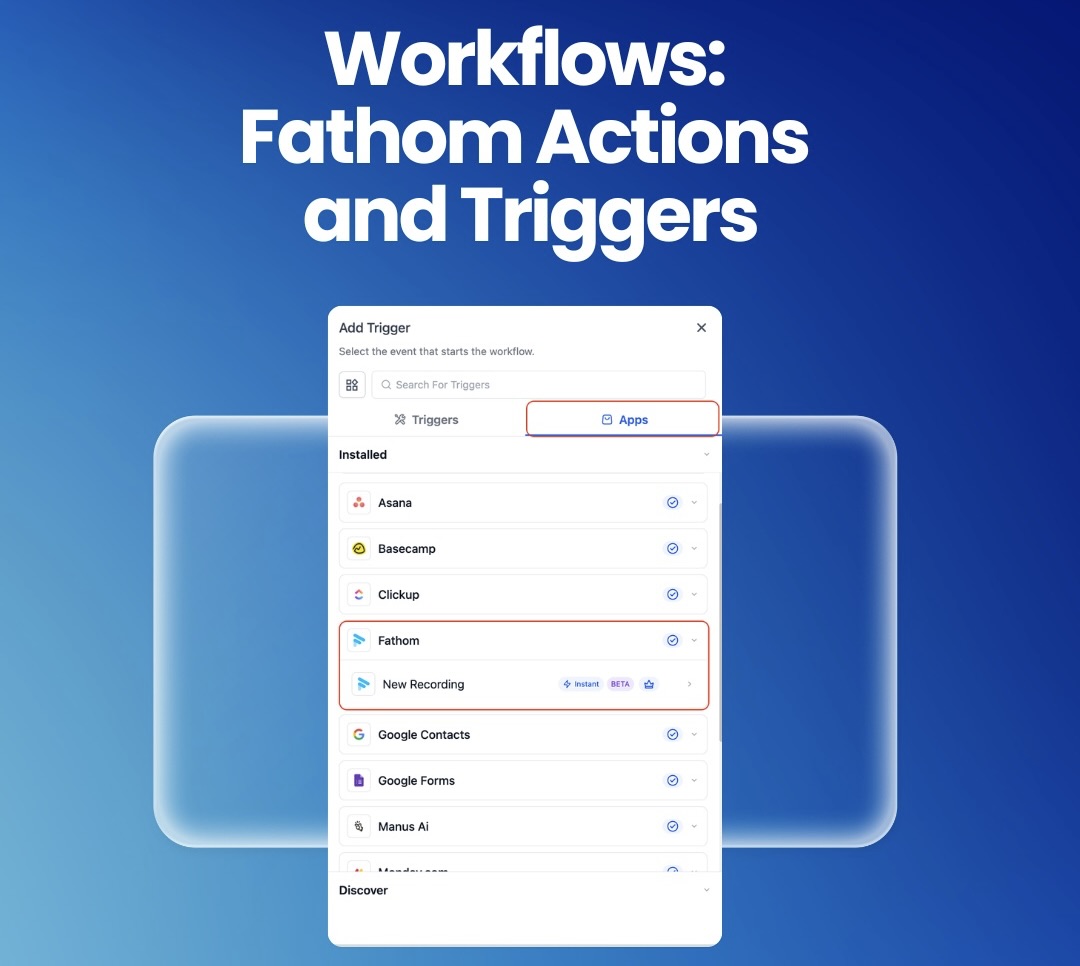
Workflows: Fathom Actions & Triggers
Turn your meeting summaries into instant action with automated follow-ups, task creation and internal notifications, no manual work needed.
Fathom actions and triggers are now available in Workflows, so you can automatically kick off automations when a new meeting recording is processed and then pull in the recording list, full transcript or AI-generated summary to power downstream steps. Connect Fathom from the Workflow Builder and use summaries to generate personalized follow-ups, extract insights with AI, create tasks in tools like ClickUp and send internal notifications without any manual copy-pasting.
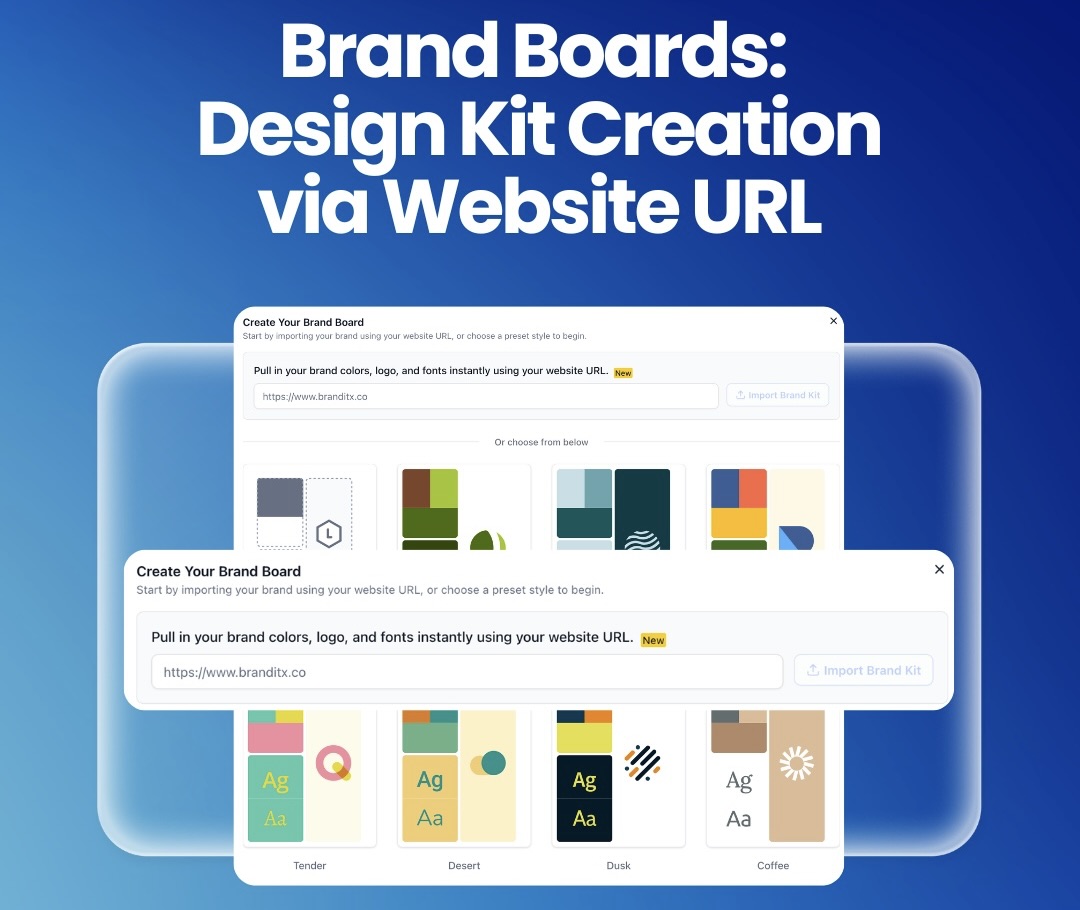
Brand Boards: Design Kit Creation via Website URL
Creating a DesignKit just got way easier, skip the manual setup and instantly generate it, even if you already have a website, saving you time and effort.
You can now generate a DesignKit directly from your website URL; just paste the link and we’ll automatically extract key brand elements like colors, fonts and logo styles to create your kit instantly. This new option lives alongside the existing manual and preset flows, giving you a faster way to onboard, maintain brand consistency and still keep full flexibility.
For a complete overview of this week’s updates, 👉🏻 check out the slides here.
New to HighLevel? Start a FREE TRIAL today!