
How to Upgrade to WordPress 7.0 in HighLevel
WordPress 7.0 launches on April 9th. For agencies and developers managing client portfolios, this release requires proactive preparation. This update introduces structural changes to server requirements, editorial workflows, and media processing.
Here is a technical breakdown of WordPress 7.0 and the necessary steps to ensure a stable update across your client sites.
PHP Version Upgrade Requirements
The most critical change in WordPress 7.0 is its updated requirement for PHP, which is the underlying programming language that powers your website. WordPress will no longer support older versions like PHP 7.2 and 7.3. The new minimum requirement is PHP 7.4, though PHP 8.3 is highly recommended for the best performance.
If your site is still running on those older versions after April 9th, you simply won't be able to update to WordPress 7.0. Your site won't break immediately. Instead, it will stay frozen on the older WordPress 6.9. However, it will be completely cut off from future security patches, leaving it vulnerable to hackers.
Action Required:
Check with your web host or log into your hosting dashboard to see which PHP version your site is currently running. If it's on 7.2 or 7.3, upgrade your server to at least 7.4 (or preferably 8.3) before the April 9th release. Getting this done early prevents a stressful, last-minute scramble.
Real-Time Collaboration (Co-Editing)
WordPress 7.0 introduces native real-time co-editing, allowing multiple users to edit the same post simultaneously. Built on the Yjs library, the system manages merge logic to prevent overlapping edits and utilizes HTTP polling to ensure compatibility across standard hosting environments without the need for WebSockets.
Technical Caveat: Real-time collaboration is automatically disabled for any post type that utilizes classic meta boxes. The new synchronization system operates exclusively within the block editor's data layer. To utilize co-editing, you must migrate legacy custom meta boxes to registered post meta.
Centralized AI Connectors
WordPress 7.0 does not include native AI generation tools; rather, it introduces the necessary infrastructure for third-party integrations.
A new Settings → Connectors dashboard provides a centralized location to manage API keys and permissions for AI plugins (e.g., OpenAI, Anthropic, Google). This standardizes the UI, eliminating the need to manage scattered settings across individual plugin menus.
Client-Side Image Processing via WebAssembly
Media handling undergoes a significant optimization in this release. Image resizing and compression tasks have been moved from the server (PHP) to the user's browser using WebAssembly.
This reduces server CPU load during heavy media uploads and accelerates the user experience.
Technical Caveat: If you utilize custom plugins that hook directly into the server-side image processing pipeline, thorough testing is required, as the underlying architecture has fundamentally changed.
Key developer updates
PHP-Only Blocks: Developers can now register server-rendered blocks without requiring a JavaScript build process (no Webpack or npm required).
Inline Revision Diffs: The editor now displays revision changes directly on the canvas with color-coded highlights (green for additions, red for removals).
Block-Editable Mobile Navigation: Mobile navigation menus have been converted into block-editable template parts, allowing for visual customization without modifying PHP files.
The Agency Rollout Playbook
Because WordPress 7.0 modifies fundamental editor states and server baselines, standard bulk updates are highly risky. Follow this phased deployment strategy:
Portfolio Audit: Catalog the PHP version of every client site. Flag any sites relying on custom media upload handlers or classic meta boxes.
Staging Matrix: Create staging clones of your core site archetypes (e.g., standard brochure, WooCommerce, highly customized builds). Ensure the staging environment mirrors production caching and PHP versions.
Canary Rollout: Deploy the update to 5–10% of low-risk sites first. Monitor for 48–72 hours, specifically checking for editor lockouts, media upload failures, and checkout errors.
Fleet Rollout: Once the canary sites are validated, deploy to the remainder of your portfolio, reserving high-revenue/high-traffic sites for the final phase.
Managing the Update with HighLevel WordPress Hosting
Executing a major version update requires granular infrastructure control. HighLevel (GHL) WordPress Hosting provides the specific tools needed to de-risk the WordPress 7.0 transition:
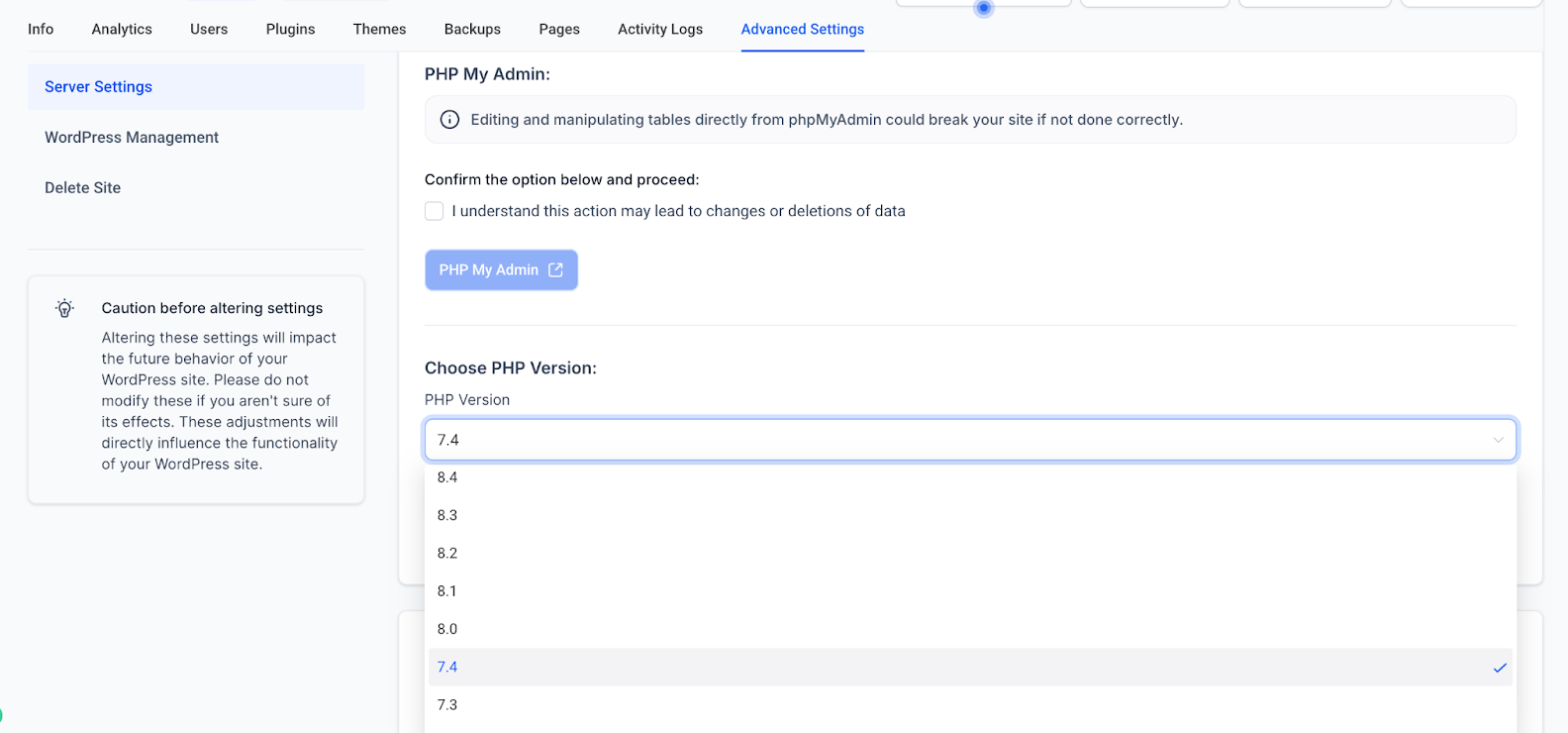
Seamless PHP Version Control: GHL allows you to toggle PHP versions (from 7.4 up to 8.3) directly from the dashboard (Sites → WordPress → WP Manage → Advanced → WordPress Management) without touching config files. You also have exact control over your WordPress core version, allowing you to delay the 7.0 update until your testing is complete.
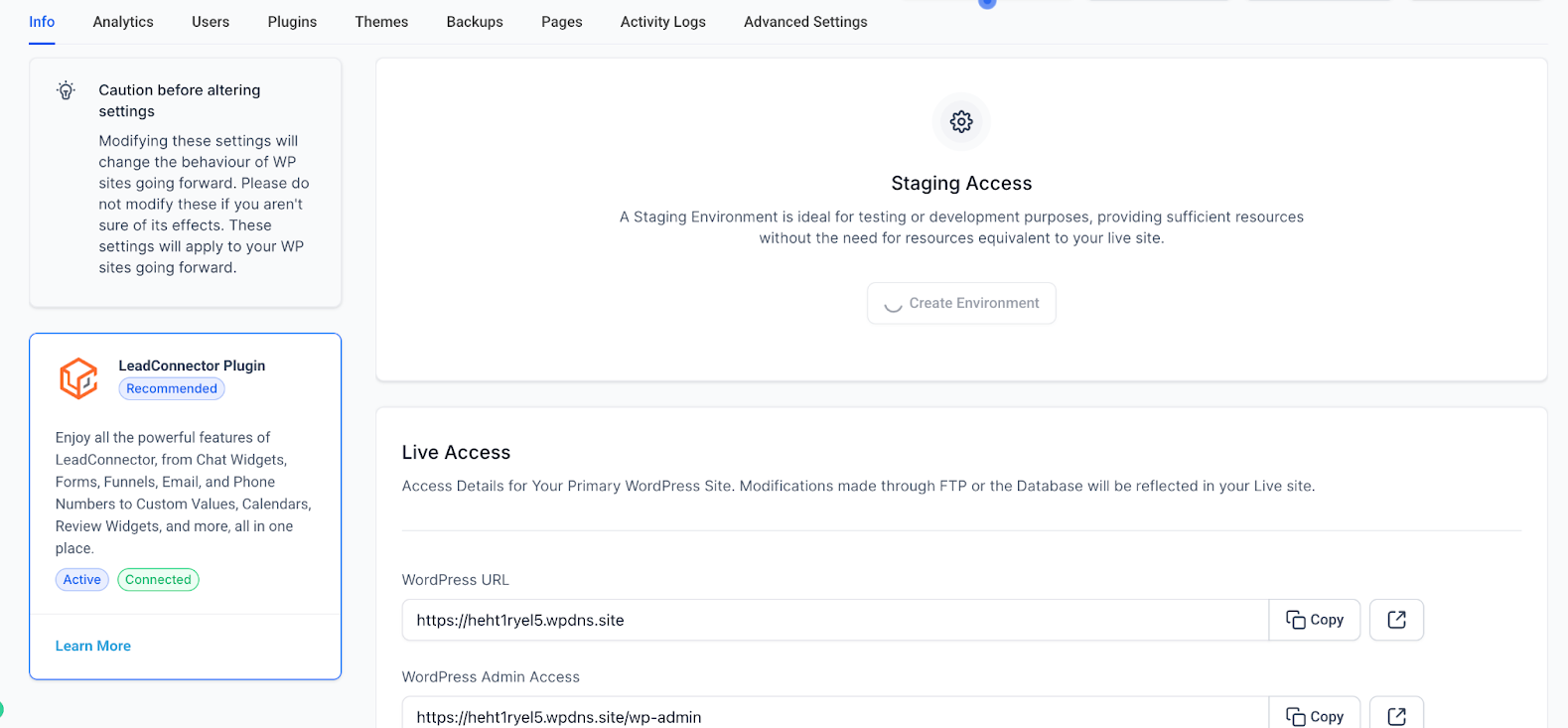
Built-In Staging Environments: With media processing and editorial workflows changing, live testing is unviable. GHL provides 1-click staging clones to safely validate theme and plugin compatibility.
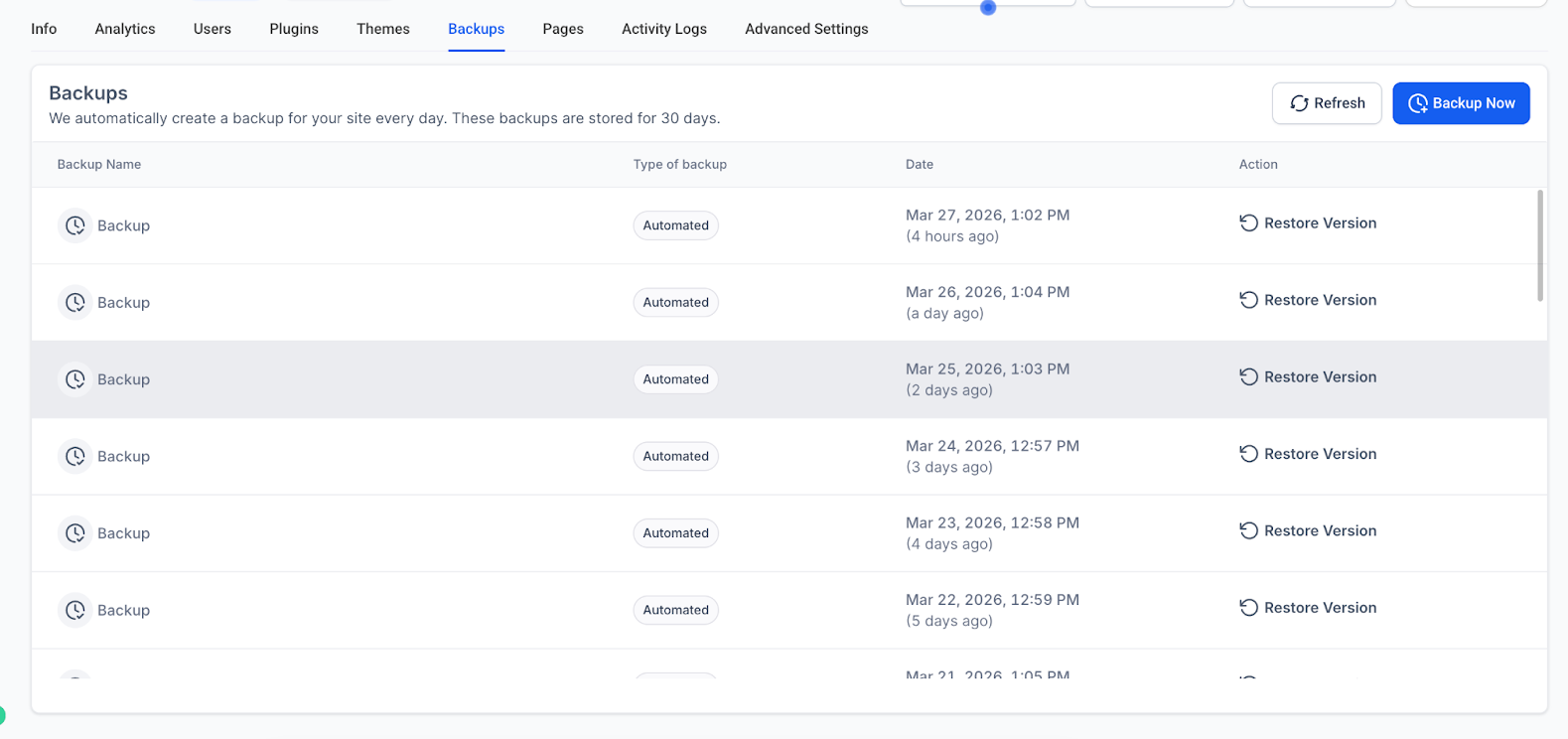
Daily Backups & Fast Restores: GHL retains backups for 30 days. If a plugin conflict occurs during your canary rollout, you can execute a one-click manual restore to revert the site immediately.
Cloudflare Enterprise CDN: Built-in enterprise-grade routing and caching help stabilize performance during the critical rollout window.
Conclusion
WordPress 7.0 provides excellent workflow upgrades, but the elevated PHP requirements and internal architecture changes demand preparation. Audit your servers, utilize your staging environments, and execute a phased rollout to ensure a seamless update.
Upgrade your Wordpress site to HighLevel with ease.Learn more about GHL WordPress Hosting →


