
Why Caching Matters for Modern WordPress Performance
There’s a frustration almost every internet user has experienced.
You click on a website, wait for it to load, and everything feels slow. Images appear late, buttons lag, scrolling stutters, and sometimes the page freezes before becoming usable.
Most visitors never think about why this happens—they simply leave.
That’s why website performance has become essential. Today’s users expect websites to load instantly and respond smoothly. Performance is no longer something developers optimize at the end of a project; it has become a core part of modern website architecture.
At the center of that architecture is caching.
Caching is one of the biggest reasons modern WordPress websites can load faster, handle high traffic, reduce server workload, and scale efficiently. Most users never notice it, but they experience its benefits every time they browse a fast website.
Why WordPress Websites Slow Down
Many people assume WordPress becomes slow because of one major issue. In reality, performance usually declines gradually.
A new plugin gets installed. A page builder adds extra scripts. Marketing tools introduce tracking pixels. Images become larger. Animations increase. Third-party integrations continue to grow.
None of these changes seem harmful on their own, but together they make every page request more demanding.
Whenever someone visits a WordPress page, the server typically has to:
Run PHP
Query the database
Load plugins
Process the theme
Generate layouts
Build the final HTML page
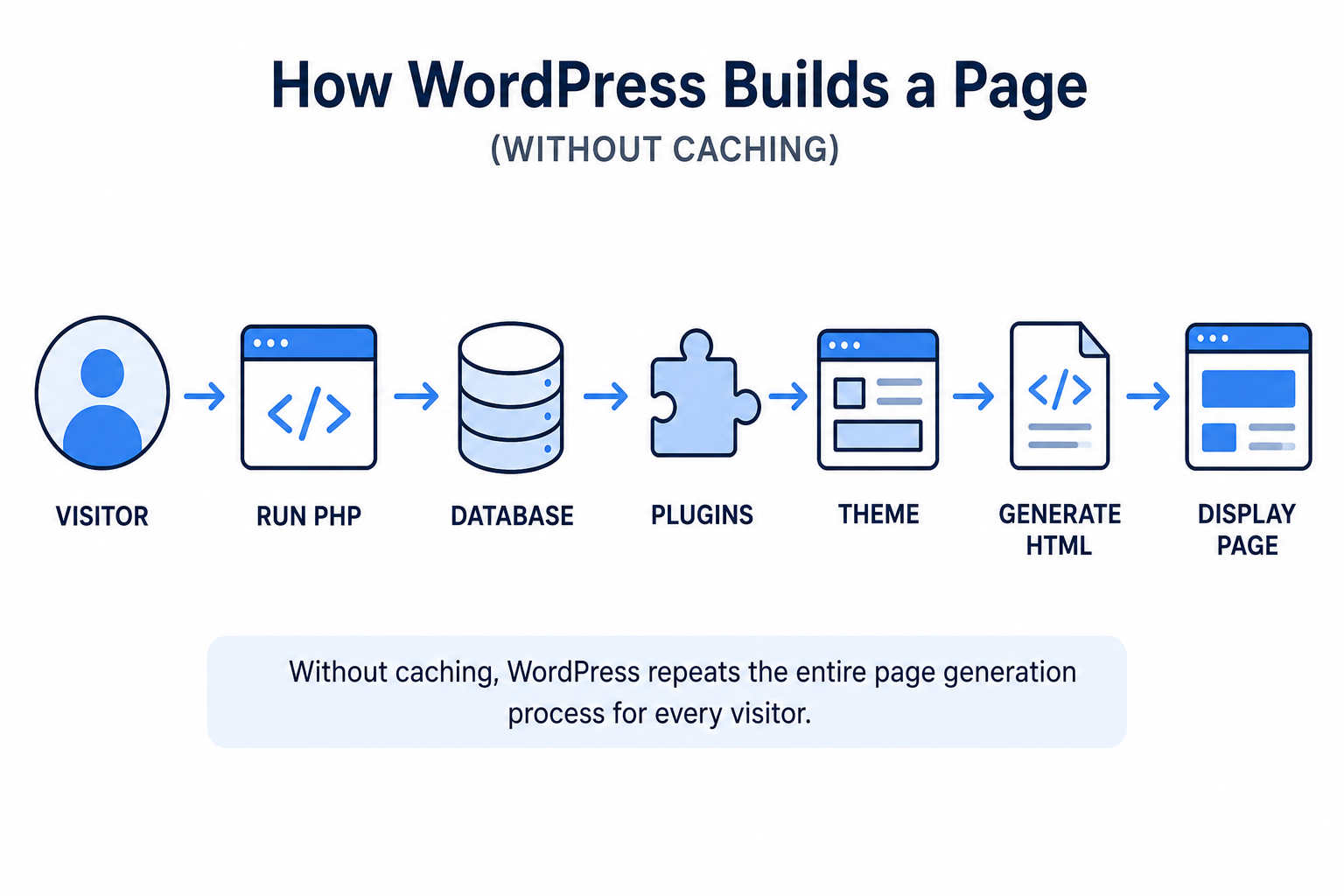
This entire process happens for every visitor. As traffic increases, the workload grows rapidly, placing more strain on the server.
Caching changes this process by eliminating unnecessary repetition.
Understanding Caching Using a Real-World Example
Imagine a busy restaurant during lunch.
Without preparation, the kitchen cooks every meal from scratch whenever someone orders it. As more customers arrive, wait times increase and the kitchen becomes overloaded.
Now imagine the restaurant prepares its most popular dishes in advance. Instead of repeating the same work, staff can serve customers much faster while reducing pressure on the kitchen.
Caching works in much the same way.
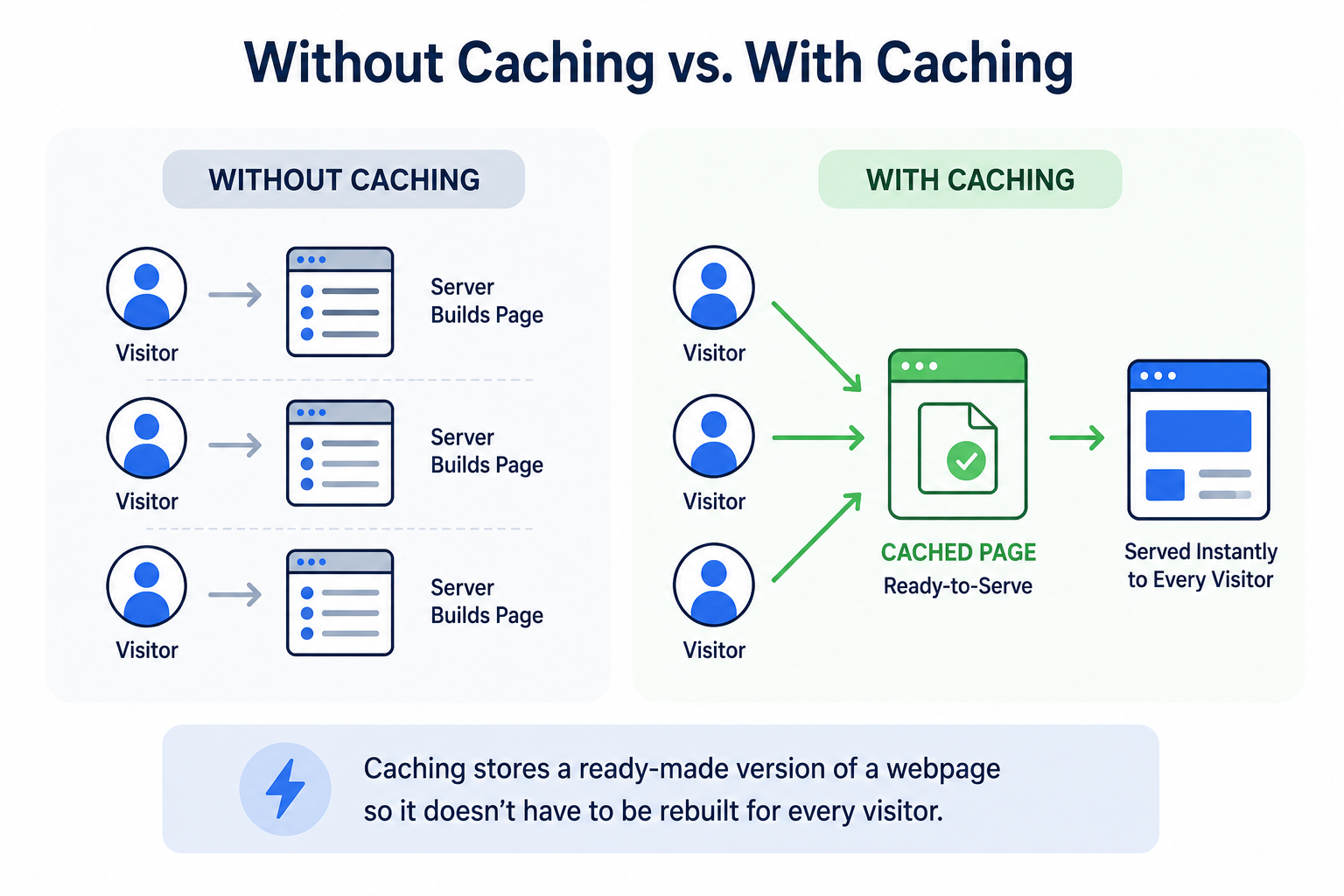
Instead of rebuilding the same webpage for every visitor, WordPress stores a ready-made version and serves it whenever possible.
In simple terms, caching prevents WordPress from doing the same heavy work repeatedly, resulting in faster page loads and better performance.
What Happens Behind the Scenes Without Caching
Without caching, every page request starts from scratch.
The server repeatedly executes PHP, runs database queries, loads plugins, and renders themes before delivering the final page.
This may not be a problem for a small website with minimal traffic. However, as a website grows, repeated processing becomes increasingly expensive.
This is why many websites struggle during:
Product launches
Seasonal sales
Viral marketing campaigns
Traffic spikes
A website that loads quickly for one visitor is not necessarily optimized to handle thousands of visitors simultaneously.
Caching helps websites remain fast and responsive even under heavy demand.
Why Modern WordPress Websites Depend on Caching
Today’s WordPress websites are far more complex than they were just a few years ago.
Many now include:
Ecommerce functionality
AI-powered features
Marketing automation
Analytics platforms
Interactive page builders
Personalized content
These features improve user experience but also increase server workload.
Caching has evolved from an optional performance tweak into essential infrastructure. It enables websites to support growing complexity while maintaining speed and reliability.
The Different Layers of WordPress Caching
One reason caching feels confusing is because modern websites usually use multiple caching layers simultaneously.
Each layer solves a different performance problem.
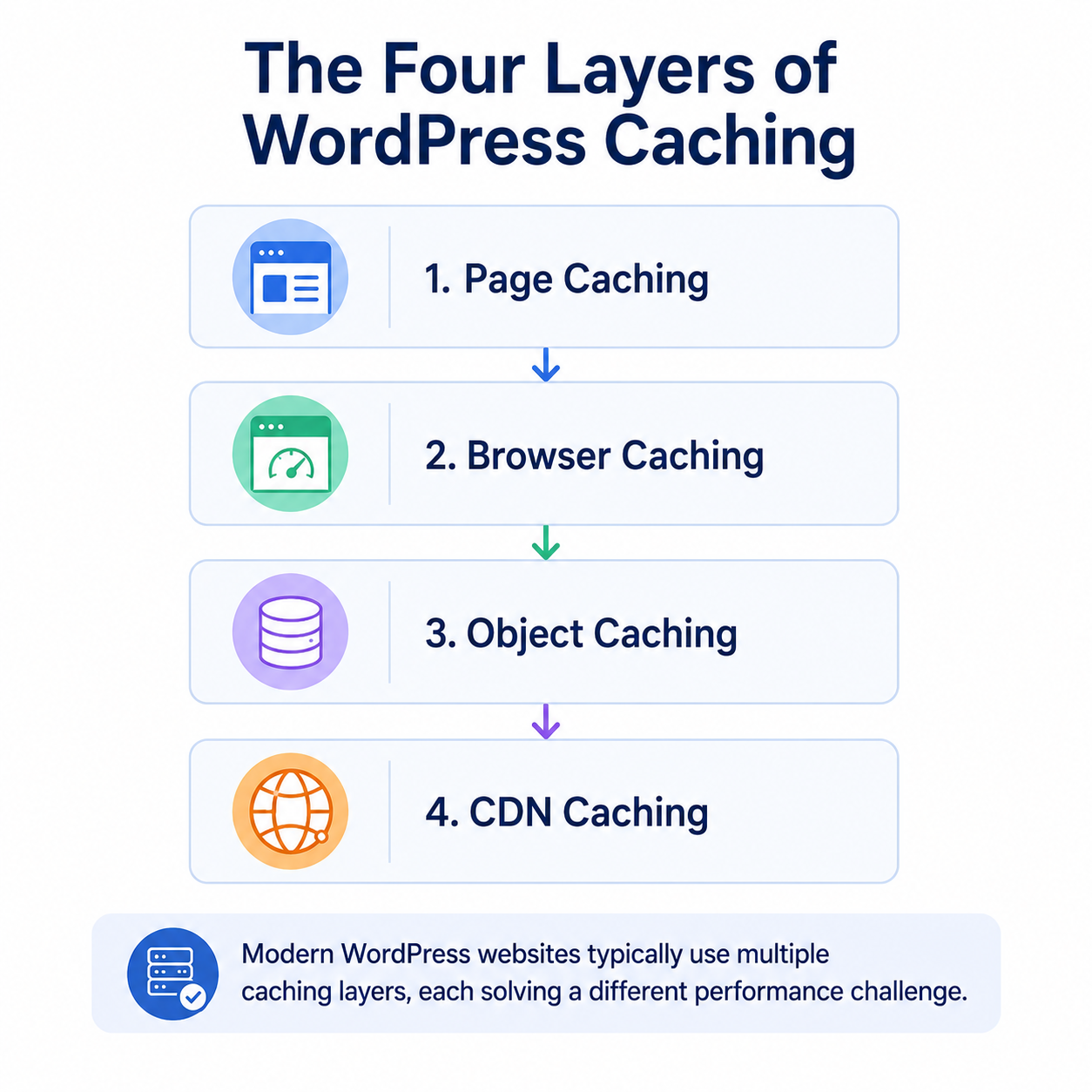
1. Page Caching
Page caching is the most widely used type of caching in WordPress.
Instead of rebuilding webpages dynamically every time, WordPress stores fully generated HTML pages temporarily.
When another visitor requests the same page:
the server delivers the stored version instantly,
avoiding repeated PHP execution and database queries.
For many websites, page caching creates the most noticeable speed improvement.
2. Browser Caching
Browsers can also store files locally on the visitor’s device.
These files include:
images,
CSS,
fonts,
JavaScript.
When users revisit the website, the browser reuses these files instead of downloading them again.
This is why websites often feel much faster on the second visit.
Browser caching reduces:
network requests,
loading time,
and bandwidth usage.
3. Object Caching
WordPress frequently retrieves repeated information from the database.
Object caching temporarily stores frequently accessed query results in memory so the database does not need to repeat the same work continuously.
This becomes especially valuable for:
WooCommerce stores,
membership websites,
large publishing platforms,
and highly dynamic applications.
As websites scale, object caching becomes increasingly important.
4. CDN Caching
Modern websites serve users globally.
Without optimization, users located far from the hosting server experience slower loading times because data must travel longer distances.
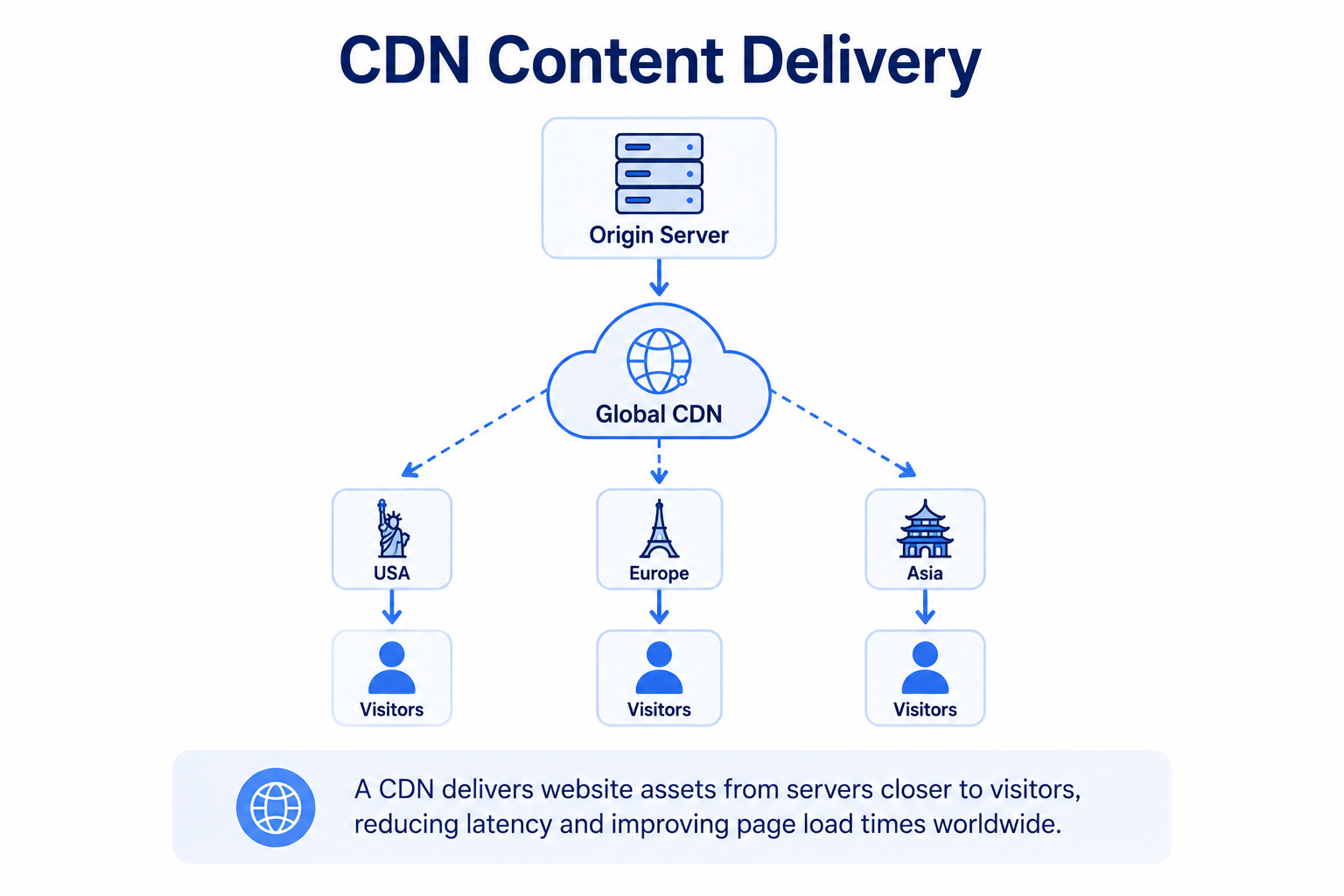
A CDN (Content Delivery Network) stores website assets across multiple geographic locations.
Instead of downloading files from a single server, users receive content from nearby regional servers.
This improves:
international performance,
loading consistency,
and overall user experience.
How a CDN Caching Plugin Improves Performance
Even with standard caching enabled, websites may still load slowly for visitors located far from the hosting server.
A CDN caching plugin solves this by distributing website files across multiple global locations.
Instead of downloading everything from one server, visitors receive files from the closest available location, reducing latency and improving responsiveness.
A CDN caching plugin helps WordPress websites by:
Delivering assets faster
Reducing page load delays
Handling traffic spikes more efficiently
Lowering server load
Improving browsing experiences worldwide
This becomes especially valuable during product launches, festive sales, viral campaigns, and periods of high traffic.
For website owners, it means faster websites, happier users, fewer slowdowns, and better reliability.
Why Caching Becomes Difficult for Dynamic Websites
Caching becomes more complicated when websites display personalized content.
For example, an ecommerce store may show different shopping carts, account details, product recommendations, or pricing for each visitor.
Serving cached versions of these pages incorrectly could display another user’s information or outdated content.
That’s why platforms such as WooCommerce, membership sites, and learning management systems require more advanced caching strategies.
Modern performance optimization isn’t simply about caching everything—it’s about knowing what should remain dynamic and what can safely be cached.
The Biggest Myth About Caching
A common misconception is that installing a caching plugin automatically optimizes a website.
Caching provides significant improvements, but it cannot solve problems caused by:
Poor hosting
Bloated plugins
Large, unoptimized images
Excessive animations
Inefficient code
Weak website architecture
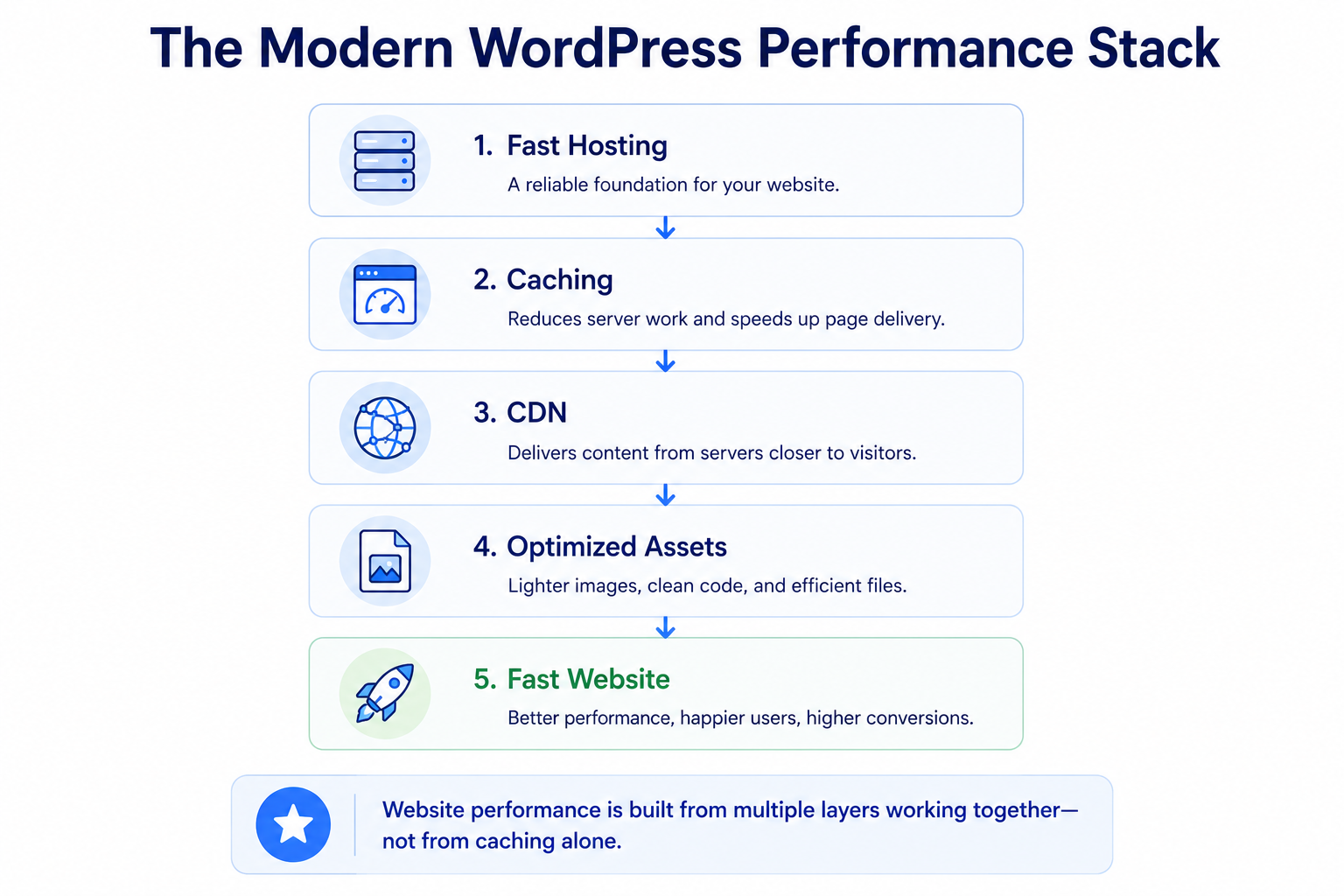
Caching works best alongside clean development practices, optimized assets, reliable hosting, and thoughtful website design.
It improves efficiency, but it cannot compensate for poor implementation.
Why Agencies and Developers Treat Caching Differently Today
Professional WordPress agencies now consider caching during the planning stage instead of treating it as a final optimization.
Modern development often includes planning for:
CDN integration
Server-side caching
Asset optimization
Edge delivery
Scalability
Performance issues become much harder to solve once a website is fully built and actively growing.
Planning caching early helps websites remain stable as traffic, content, and integrations increase.
The Future of WordPress Performance
As WordPress continues evolving with AI, headless architectures, and application-like experiences, performance infrastructure will become even more important.
Future caching technologies are expected to rely more heavily on:
Edge computing
Predictive optimization
Intelligent asset delivery
Automated performance management
Most users will never see these technologies, but they will continue making websites faster and more reliable.
How HighLevel’s CDN Caching Plugin Improves WordPress Performance
While page and browser caching significantly improve website speed, visitors located far from your hosting server can still experience slower load times due to network latency.
That’s where the HighLevel CDN Caching Plugin comes in.
The plugin combines traditional WordPress caching with a globally distributed Content Delivery Network (CDN), ensuring your website’s static assets—such as images, CSS, JavaScript, and fonts—are delivered from the server closest to each visitor.
This helps websites:
Load pages faster for visitors around the world
Reduce latency and improve responsiveness
Handle traffic spikes more efficiently
Lower the workload on the origin server
Deliver a smoother and more reliable browsing experience
For businesses running marketing campaigns, ecommerce stores, funnels, or high-traffic websites, the HighLevel CDN Caching Plugin helps maintain consistent performance even during peak visitor activity.
Beyond improving page speed, it also enhances website stability and scalability, allowing your WordPress site to deliver a fast, reliable experience as your audience grows.
Final Thoughts
Caching is one of the most important technologies behind modern WordPress performance.
By reducing repetitive processing, it speeds up page loading, lowers server stress, improves scalability, and creates a smoother browsing experience.
As WordPress websites become more dynamic and feature-rich, caching is no longer just a performance enhancement—it is a fundamental part of building fast, reliable digital experiences.
The fastest websites aren’t always the ones with the most powerful servers. They’re the ones that intelligently avoid doing unnecessary work.
Migrate your Wordpress site to HighLevel with ease.Learn more about GHL WordPress Hosting →


