
WordPress Deployment Workflow for Agencies (From Local to Live)
Launching a WordPress Site Shouldn’t Feel Risky
There’s a version of launching a WordPress site that feels deceptively simple.
You build the pages, install the plugins, test a few things, click “publish" and move on to the next client project.
For a while, that works.
Then one day, a contact form stops working after deployment. A plugin behaves differently on the live server than it did during development. A caching layer breaks layouts that look perfectly fine on staging. Someone from your team ends up debugging directly on production while the client is actively browsing the site.
None of these problems are unusual.
That’s exactly why they become dangerous.
Because deployment issues rarely show up as dramatic failures. More often, they appear as small operational inefficiencies that slowly accumulate across projects:
Last-minute fixes
Repeated QA cycles
Rollbacks after launch
Time lost debugging preventable issues
For agencies managing multiple WordPress projects, deployment isn’t just a technical step anymore. It becomes part of the operational system that determines how efficiently projects move from development to delivery.
This blog breaks down a practical deployment workflow agencies can use to move WordPress projects from local development to a stable live environment without relying on luck.
Why WordPress Deployments Often Break
Most deployment failures don’t happen because WordPress is unreliable.
They happen because the workflow around WordPress is inconsistent.
A common agency workflow often looks like this:
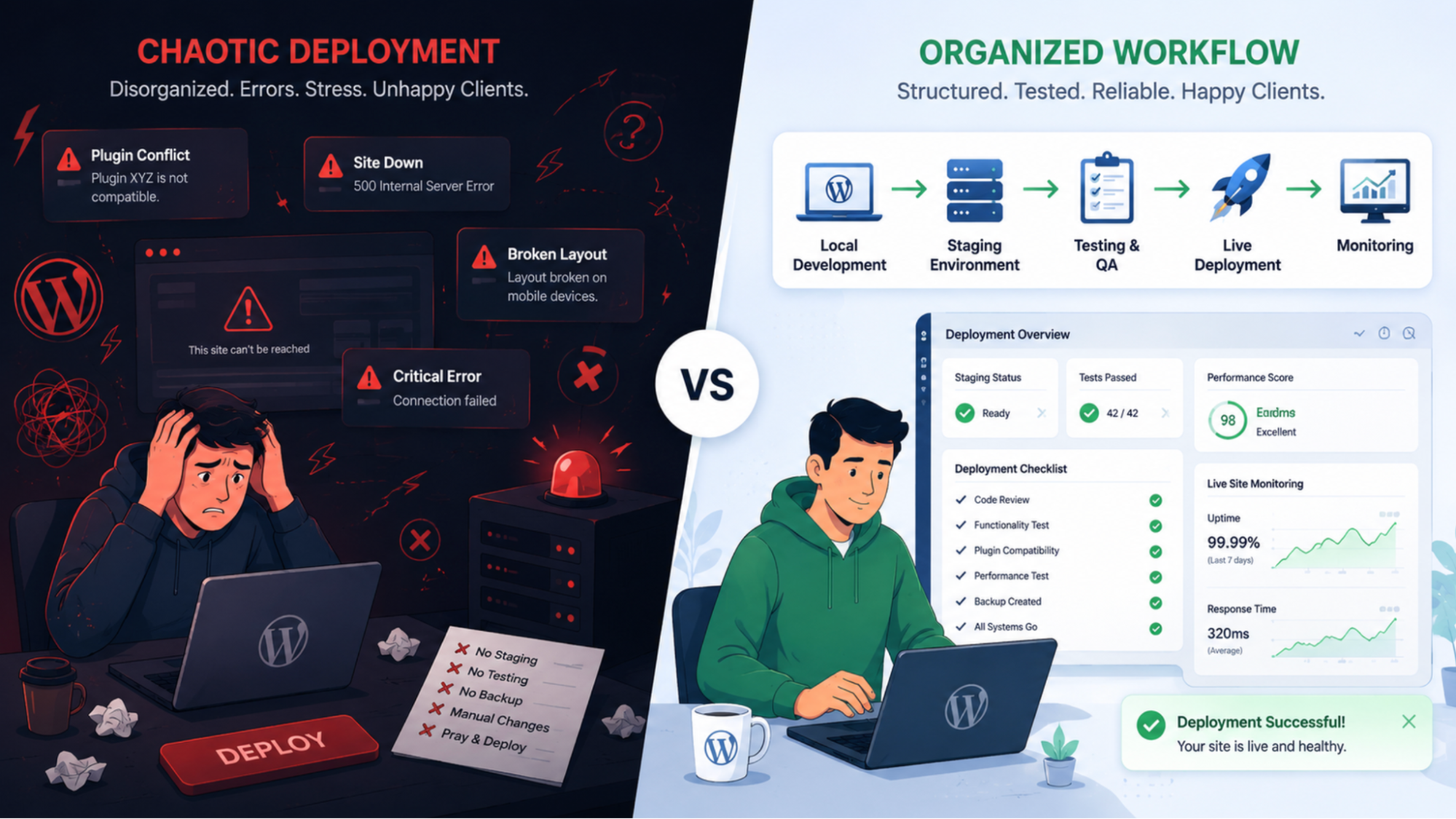
Development happening directly on a live site
No dedicated staging environment
Testing rushed right before launch
Manual updates pushed without rollback plans
These shortcuts feel harmless in smaller projects because the impact is manageable.
But as project volume increases, these small gaps compound into operational chaos.
One deployment issue might only consume an hour. But repeated across multiple projects every week, it becomes a hidden tax on your team’s productivity.
The challenge isn’t deployment itself.
It’s the absence of a structured process around it.
The Ideal WordPress Deployment Workflow
A reliable deployment workflow doesn’t eliminate all problems.
What it does is reduce unpredictability.
At a high level, an effective WordPress deployment flow looks like this:
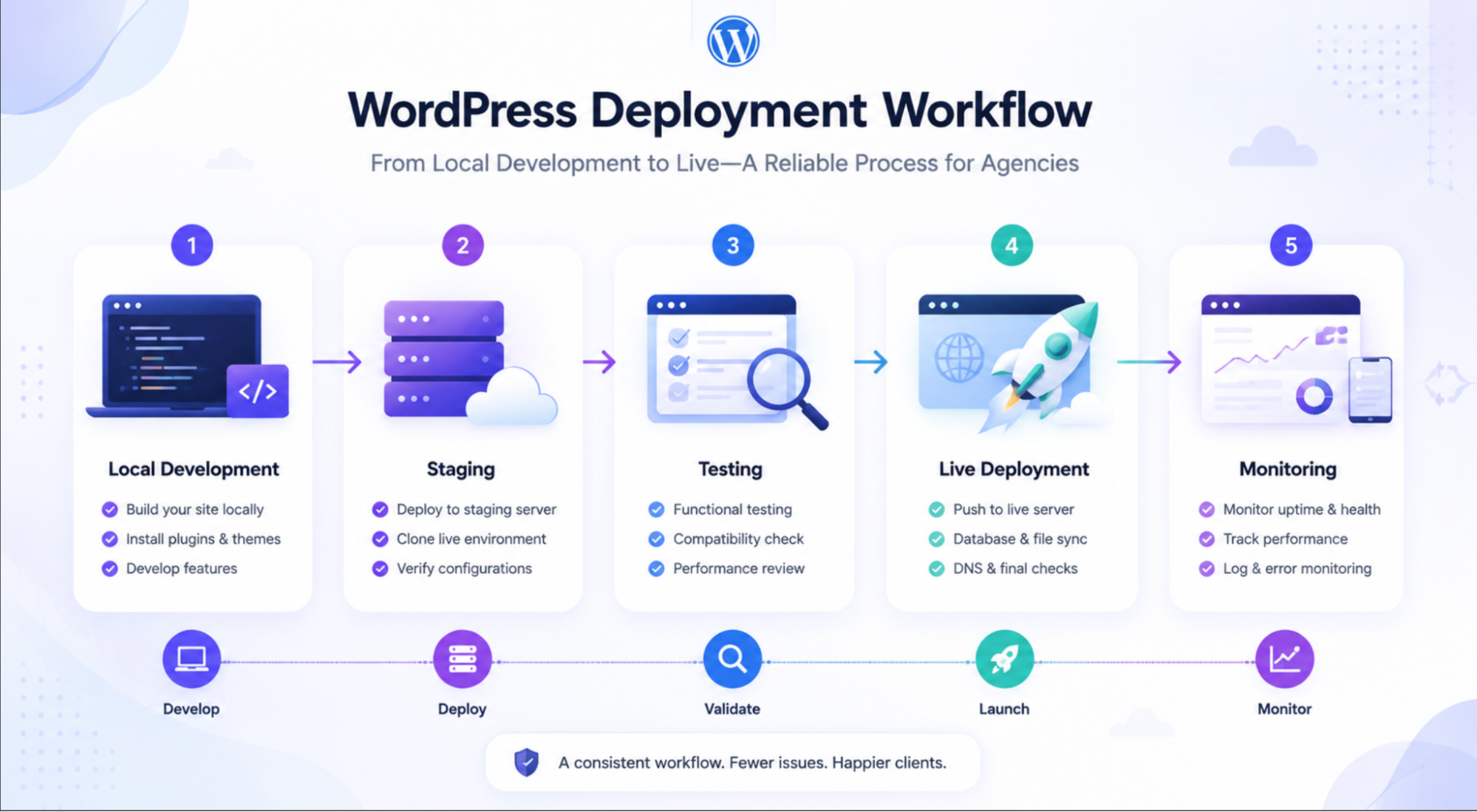
Local Development → Staging → Testing → Live Deployment → Monitoring
Each stage exists to isolate risk before it reaches production.
Skipping one usually means paying for it later.
1. Local Development: Build in Isolation
The safest WordPress projects start locally.
Instead of building directly on a server, agencies use local development environments to:
Create pages and templates
Configure plugins
Test functionality
Experiment safely without affecting production
Tools like LocalWP, Docker-based setups, or similar local environments make this significantly easier than it used to be.
The biggest advantage of local development is freedom.
Developers can iterate quickly without worrying about:
Breaking the live site
Exposing unfinished work
Interrupting active traffic
At this stage, perfection isn’t the goal.
The goal is establishing a stable working baseline before introducing real-world complexity.
2. Staging: The Most Skipped (and Most Important) Step
This is where many agency workflows begin to fail.
A staging environment is essentially a production-like copy of the site used for validation before launch.
Yet many teams either:
Skip staging entirely
Or use it inconsistently under deadline pressure
Which leads to the worst possible workflow:
Testing directly on the live site.
A proper staging environment helps agencies:
Validate plugin compatibility
Test forms and integrations
Catch caching issues
Preview changes with clients safely
Simulate production behavior before launch
The reality is simple:
Most deployment issues should be discovered in staging, not in production.
3. Testing: More Than Just “Looks Good”
One of the most common mistakes in WordPress deployments is treating testing as purely visual.
If the homepage looks correct, teams assume the deployment is ready.
But real deployment testing goes much deeper.
A structured QA process should include:
Functional testing (forms, checkout flows, logins)
Plugin interaction testing
Mobile responsiveness checks
Browser compatibility validation
Performance checks
Redirect and SEO validation
At scale, even small testing gaps become recurring operational costs.
The goal of testing isn’t perfection.
It’s reducing the likelihood of expensive surprises after launch.
4. Deployment to Production
Moving from staging to live should feel controlled, not rushed.
But many deployments happen under unnecessary pressure:
Late-night pushes
Last-minute edits
Manual changes directly in production
A more stable deployment process usually includes:
Full backups before launch
Deployment during lower-traffic windows
Careful syncing of database and media changes
Verification of environment-specific settings
What causes most deployment failures isn’t the deployment action itself.
It’s everything that wasn’t validated beforehand.
5. Monitoring After Launch
Launching the site isn’t the finish line.
It’s the beginning of real-world usage.
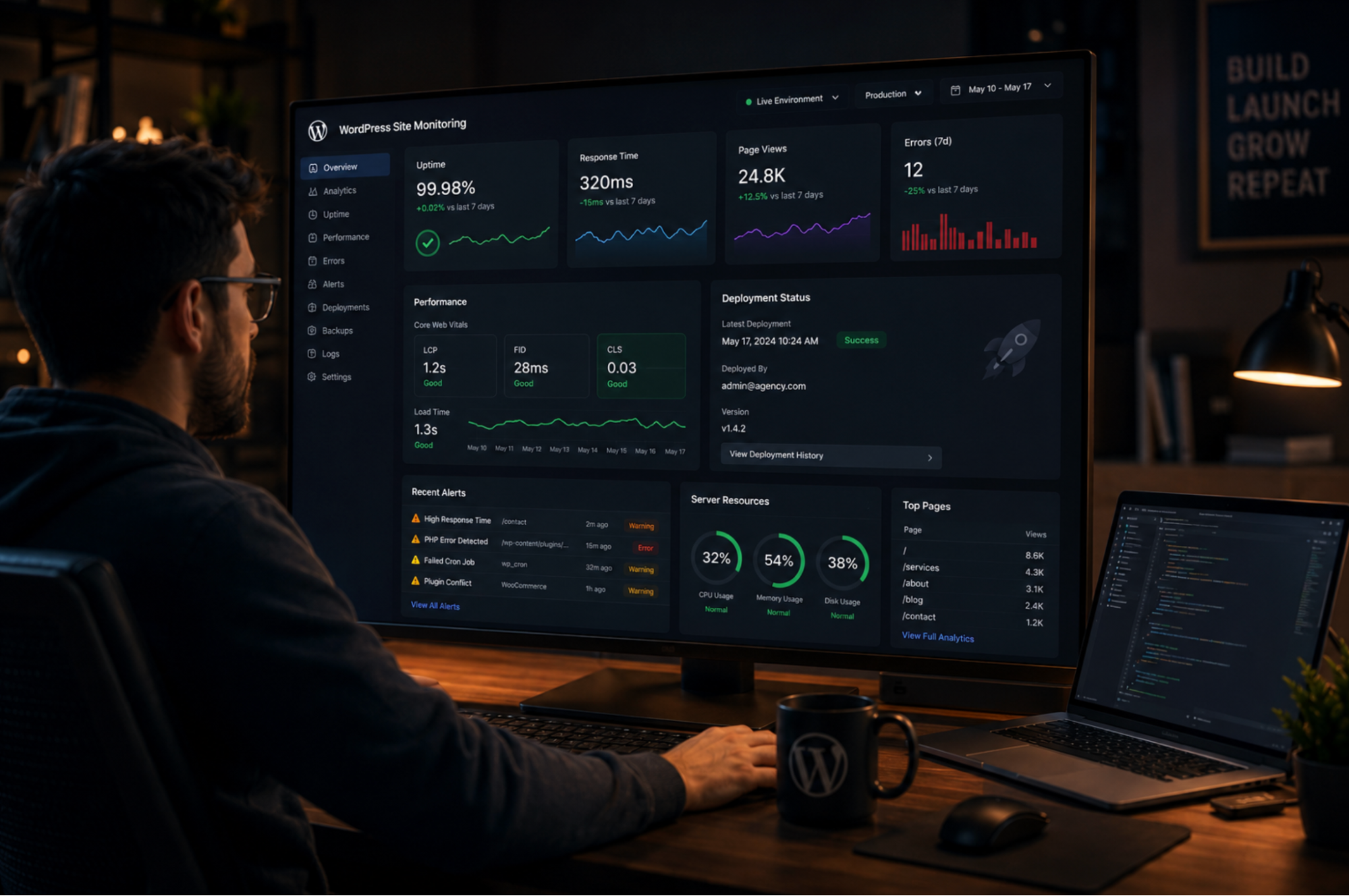
Once a site goes live, agencies should actively monitor:
Uptime
Form submissions
Performance under traffic
Error logs
Third-party integrations
Some issues only appear under actual user behavior.
The difference is that with a structured deployment workflow, these issues become easier to isolate and resolve quickly.
Common Deployment Mistakes Agencies Make
Across agencies, the same patterns appear repeatedly.
Skipping staging to save time
Ironically, this usually creates more rework later.
Testing on production
This introduces unnecessary risk and creates unstable launches.
Plugin updates right before deployment
Last-minute updates are one of the most common causes of launch-day issues.
No rollback plan
Every deployment should have a recovery strategy.
Why Workflow Complexity Becomes an Operational Problem
One pattern becomes obvious as agencies scale:
The more fragmented the workflow, the harder deployments become to manage consistently.
When teams rely on multiple disconnected systems for:
Hosting
Project management
Client communication
CRM
Automation
QA tracking
…the number of handoffs increases dramatically.
And every handoff introduces:
More context switching
More coordination overhead
More opportunities for something to be missed
This is why many agencies eventually shift toward simplifying workflows and reducing unnecessary operational complexity.
Not because they need fewer capabilities.
But because they need fewer disconnected systems.
This is also why many agencies are gradually moving toward more integrated operational setups where hosting, communication, CRM, and automation workflows are connected instead of spread across multiple disconnected tools.
Platforms like HighLevel are part of that broader shift toward simplifying operational complexity for agencies managing multiple client projects.
Where AI and Automation Are Starting to Help
AI is also beginning to influence WordPress deployment workflows in practical ways.
Agencies are increasingly using AI-assisted systems for:
QA checklists
Content validation
Deployment documentation
Error summarization
Workflow automation
While AI won’t replace deployment discipline, it can reduce repetitive operational work and help teams move faster with fewer manual checks.
The key is using automation to support process consistency, not replace it.
Final Thoughts
Launching a WordPress site shouldn’t feel unpredictable.
But without a structured deployment workflow, even small issues compound quickly across projects.
The agencies that scale successfully tend to treat deployment as an operational system—not just a technical step.
They:
Build locally
Test in staging
Validate before launch
Monitor after deployment
Standardize wherever possible
Because at scale, consistency matters more than speed.
A stable workflow doesn’t just reduce bugs. It reduces stress, rework and operational overhead across the entire agency.
Ready to deploy your WordPress site with HighLevel? Learn more about GHL WordPress Hosting →


