
Release Radar blog for the week of November 16th
November 16th - November 20th 2026
This week's featured releases:
AI & Search Visibility (Private beta)
Launch ChatGPT ads from the Ad Manager
Meeting AI: Notetaker and Copilot (Private beta)
Welcome back to the Release Radar Blog! From tracking your brand's AI search visibility to building entire websites conversationally in Ask AI, a powerful batch of new releases rolled out this week to help you run your business. Here is what you cannot miss this week.
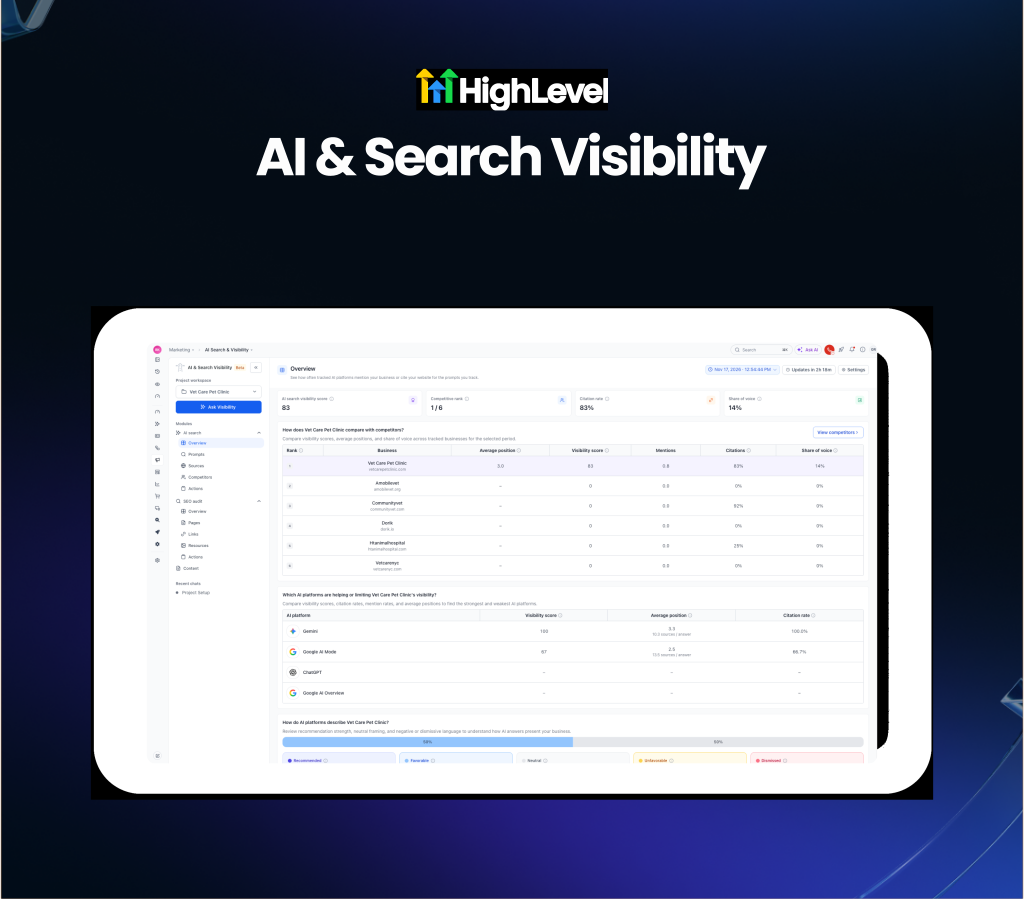
AI & Search Visibility (Private beta)
Auditing a client’s digital presence previously focused solely on traditional Google search rankings, leaving agencies blind to how brands appeared in generative AI tools like ChatGPT or Google Overviews. The new AI & Search Visibility tool combines a technical SEO audit with daily AI search scans to track brand mentions, identify competitor recommendations and generate prioritized fixes across traditional and AI-driven search engines.
Agencies can use this to package an entirely new “AI Visibility” service that proves client value beyond legacy keyword tracking.
Run zero-setup technical SEO and AI visibility audits: Create a project to automatically scan for on-page SEO issues while simultaneously tracking how the brand appears across Google AI Overviews, Gemini and ChatGPT.
Apply automated fixes directly: Review prioritized recommendations and approve one-click fixes for HighLevel sites or copy agent-written solutions for external platforms like WordPress.
Get started with this feature
Navigate to the new AI & Search Visibility tool (currently rolling out in Private Beta)
Create a new project for your client’s brand
Review the initial SEO audit and daily AI search visibility tracking
Approve one-click fixes for HighLevel-hosted sites or export the recommendations for external platforms
Launch ChatGPT ads from the Ad Manager
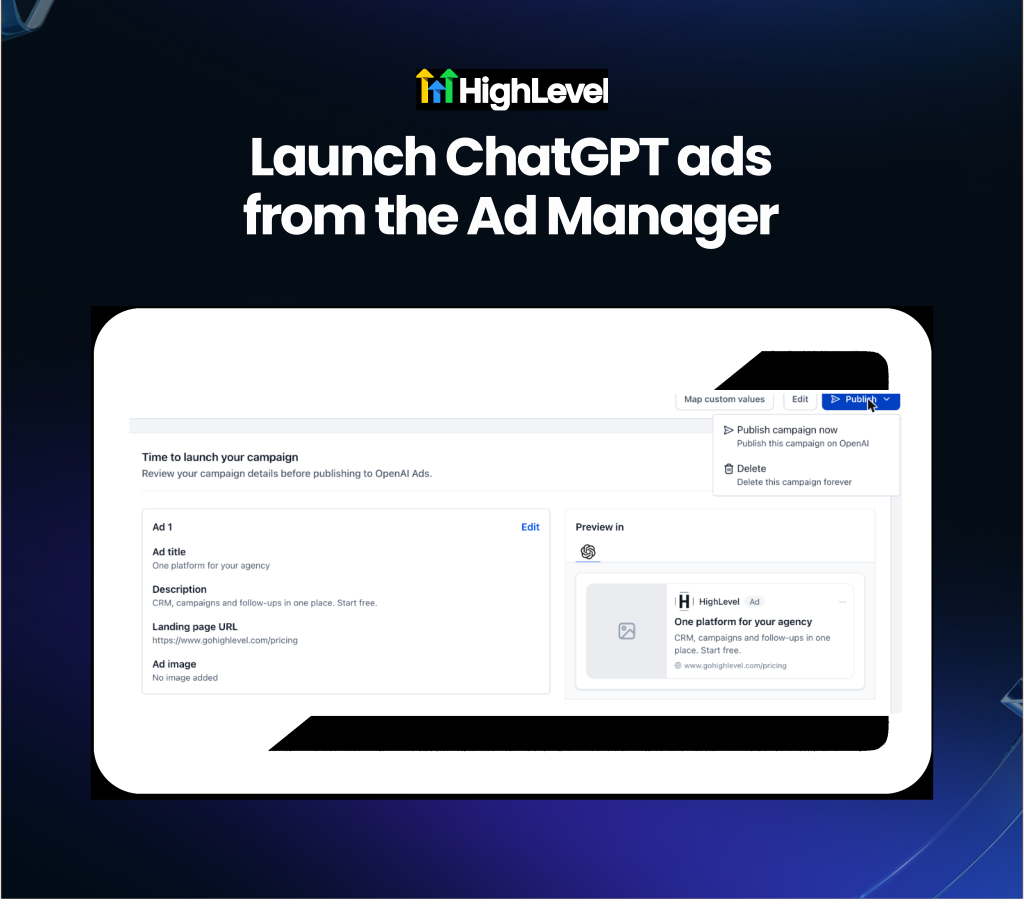
Create, publish and track advertisements directly on ChatGPT platforms using the new OpenAI integration in HighLevel Ad Manager. Running ads previously limited agencies to traditional platforms like Meta or Google without access to the growing user base on generative AI interfaces. Users can now build standard objective-based campaigns targeting custom context hints to display text-and-image ads across the ChatGPT iOS, Android and web platforms.
Target users contextually across ChatGPT interfaces: Build ad groups using context hints rather than keywords to serve ads natively on ChatGPT desktop and mobile apps.
Track conversions with direct data sources: Install a web data source on your site to measure standard and custom conversion events with a 30-day click-through attribution window.
Get started with this feature
Go to Ad Manager → Settings → OpenAI → Ad account to connect your OpenAI Ads account
Create a web data source under Data sources and install the code on your website
Go to Create campaign → OpenAI → Start from scratch to configure your budget, objective and schedule
Add your destination URL, context hints, 50-character title, description and square image
Review the live ChatGPT ad preview and publish the campaign
Meeting AI: Notetaker and Copilot (Private beta)
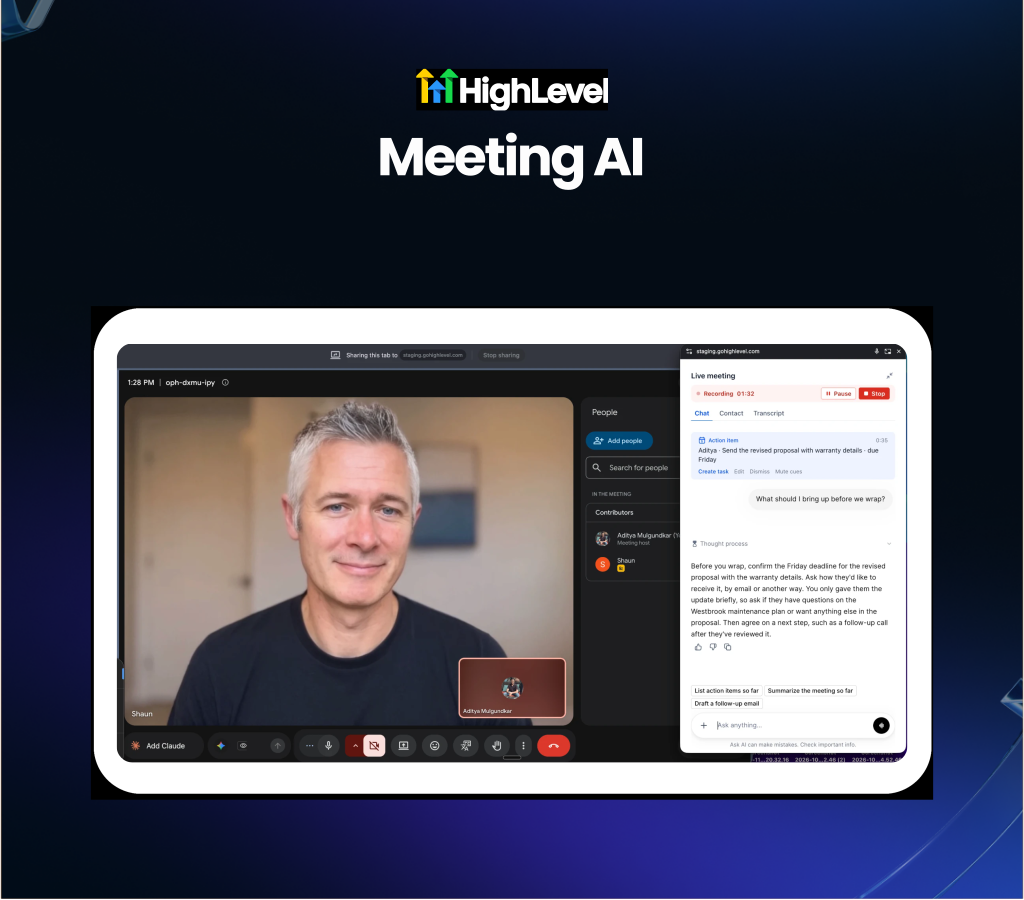
Manage pre-call preparation, active note-taking and post-meeting follow-ups directly within HighLevel using Meeting AI. Taking meeting notes previously required switching between third-party transcription tools, the CRM and manual task management boards. The new Meeting Notetaker and Copilot integrate seamlessly with Google Meet, Zoom, Teams and Webex to transcribe conversations, surface real-time CRM context during calls and automatically extract action items for approval.
Users can use this to stay fully present during calls without losing track of critical follow-up commitments.
Receive real-time context and automatic summaries: The Copilot surfaces relevant deal history during the call while the Notetaker transcribes and summarizes the entire conversation automatically.
Turn meeting commitments into actionable CRM tasks: Copilot identifies post-call action items, assigns owners and drafts follow-up tasks for your review and approval.
Get started with this feature
Access the Meeting AI Private Beta in your account (free for up to 240 minutes per user/day during beta)
Connect Meeting AI to your preferred platform (Zoom, Meet, Teams, Webex or HighLevel Meeting Room)
Allow the Notetaker and Copilot to join your call to provide live context and transcription
Review the auto-generated summary and approve the extracted tasks after the meeting concludes
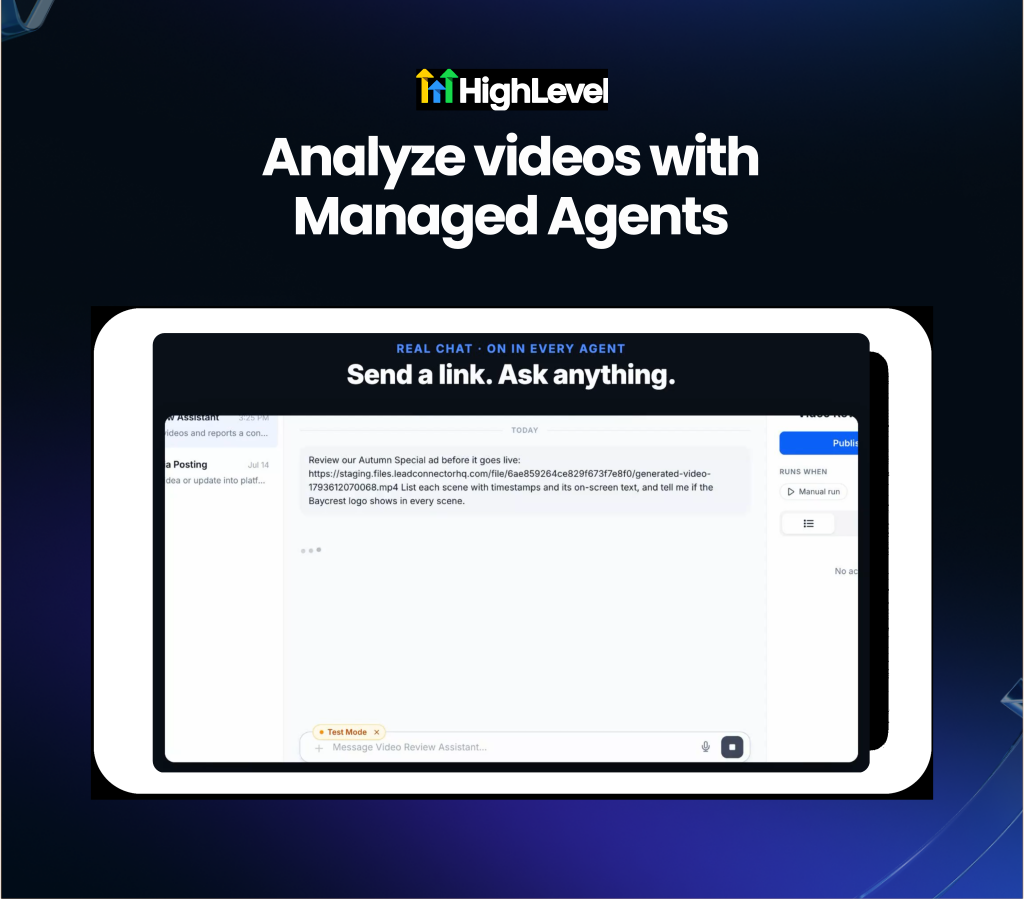
Analyze videos with Managed Agents
Analyze video content directly within Managed Agents by pasting a YouTube link or attaching a Media Library file. Evaluating video content previously required manual review or processing through external transcription software before a chatbot could understand the context. Managed Agents can now watch and listen to videos up to 2GB, generating timestamps, accurate summaries and quality checks automatically without any additional setup toggles.
Users can use this to quickly extract insights from long-form webinars, check video ad quality or parse customer testimonial submissions.
Analyze video content automatically in chat: Paste publicly reachable YouTube links or direct video files (MP4, MOV, WebM) into the chat interface for instant agent analysis.
Get started with this feature
Go to AI Agents → Managed Agents and open or create an agent
Paste a public YouTube link or attach a direct video file from the Media Library into the chat or test window
Ask the agent a specific question like "Summarize this with timestamps" or "Does this ad show our logo?"
Review the agent's video-based insights, timestamps or quality checks
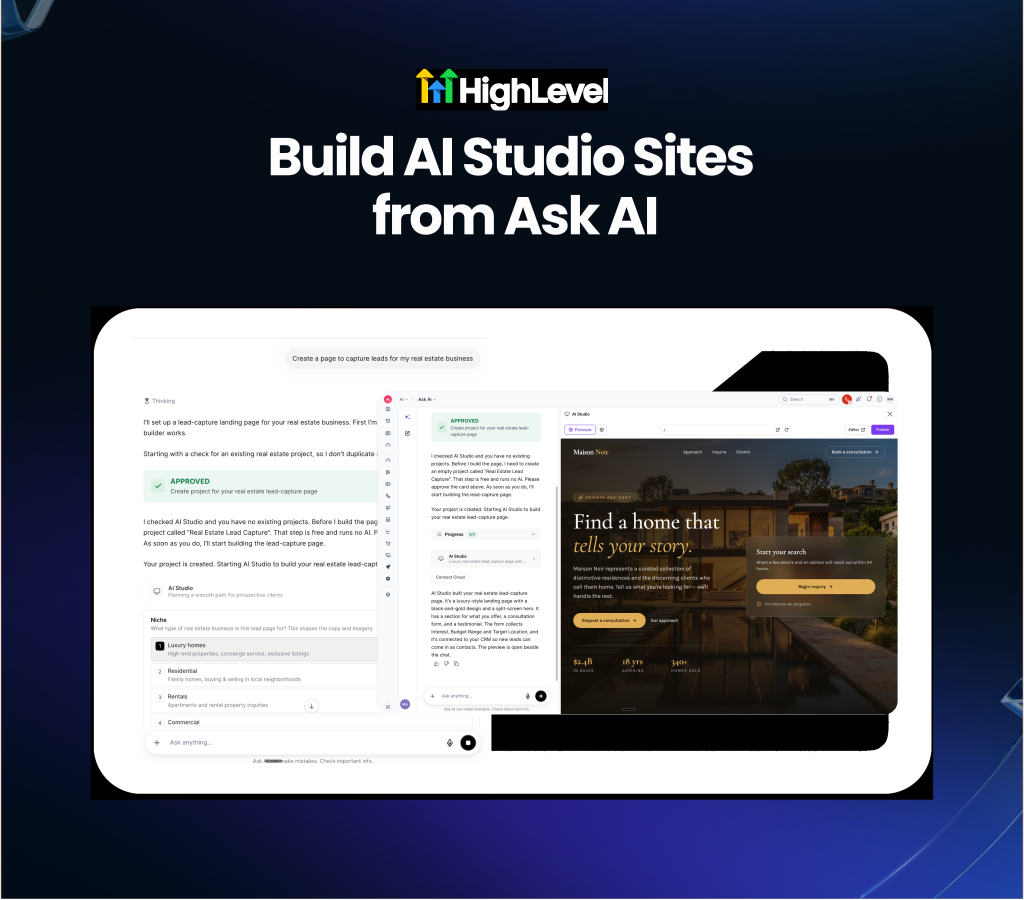
Build AI Studio Sites from Ask AI
Build, refine and publish complete websites and web apps conversationally within the Ask AI interface. Building web projects previously required navigating directly into the AI Studio editor to configure layouts, adjust settings and manage publishing. Users can now describe their ideal site in an Ask AI prompt, attach reference files, direct conversational revisions through a live preview panel and hit publish without ever opening the visual builder.
Agencies can use this to rapidly prototype client sites, refine styling conversationally and launch initial builds in minutes.
Prototype and refine sites conversationally: Describe your project, answer inline configuration questions and request layout changes in plain language while watching a live step-by-step preview.
Publish directly from the chat interface: Review the final build and click Publish to push the site live to the default domain without leaving Ask AI.
Get started with this feature
Open Ask AI and start a new chat
Describe the website or app you want to build and attach any reference PDFs or logos
Answer any clarifying questions the agent asks via clickable options
Watch the live generation checklist and review the result in the preview panel
Ask for specific revisions (e.g., "add an FAQ section") or click Publish to go live on the default domain
For a complete overview of this week’s updates 👉🏻Check out the slides here!
Want to help your clients or team master these new tools under your own brand?
Explore our collection of customizable guides and materials in the HighLevel University White Label Resources Course.
Missed the event? Catch up on the biggest reveals from LevelUp 2026!
New to HighLevel? Start a FREE TRIAL today!