Skool Alternative: How HighLevel Compares for Paid Communities
If you are looking for a Skool alternative, start with what you need the platform to do. Skool is a community and course platform with two flat monthly plans. HighLevel is a CRM and marketing platform that includes Communities, with groups, courses, gamification, live sessions and paid access built in.
If the community is the whole business, Skool is the simpler choice. If you also need funnels, email and text follow-up, appointment booking and a CRM, HighLevel runs the community and the rest of the business from one account. This comparison covers features, fees and migration, based on what each platform publishes as of October 2026.
Skool vs HighLevel at a Glance
Skool is built around one product: a paid community with courses attached. HighLevel puts a community inside a full sales and marketing system. The table shows where that difference appears.
Prices in USD as published in October 2026.
What Skool Does Well
Skool earns its reputation through simplicity. A group has one feed, a classroom for courses, a calendar, a member list and a leaderboard, and new members can find their way around without a tour. Gamification is part of the core product, so points and levels shape how members engage from the first day. Pricing is two flat plans with payments built in, and Skool runs a public directory where people discover communities.
For a creator whose business is a paid community, that narrow scope is a strength. There is less to set up, less to maintain and fewer decisions to make.
Where Skool Stops: Marketing and Sales Around Your Community
A dedicated community platform handles delivery: the discussions, courses and calls your members pay for. An all-in-one system also handles how those members find you and buy from you. Skool covers the first part.
Skool does not include a funnel or landing page builder, an email list for people outside your group, text messaging, appointment booking or a sales pipeline. Creators who need those add a page builder, an email tool, a scheduler and a CRM, then connect them. That works, but each tool is another bill and another place your contact data lives, so a lead who books a call, buys a course and joins your community can end up spread across several systems.
How HighLevel Communities Works
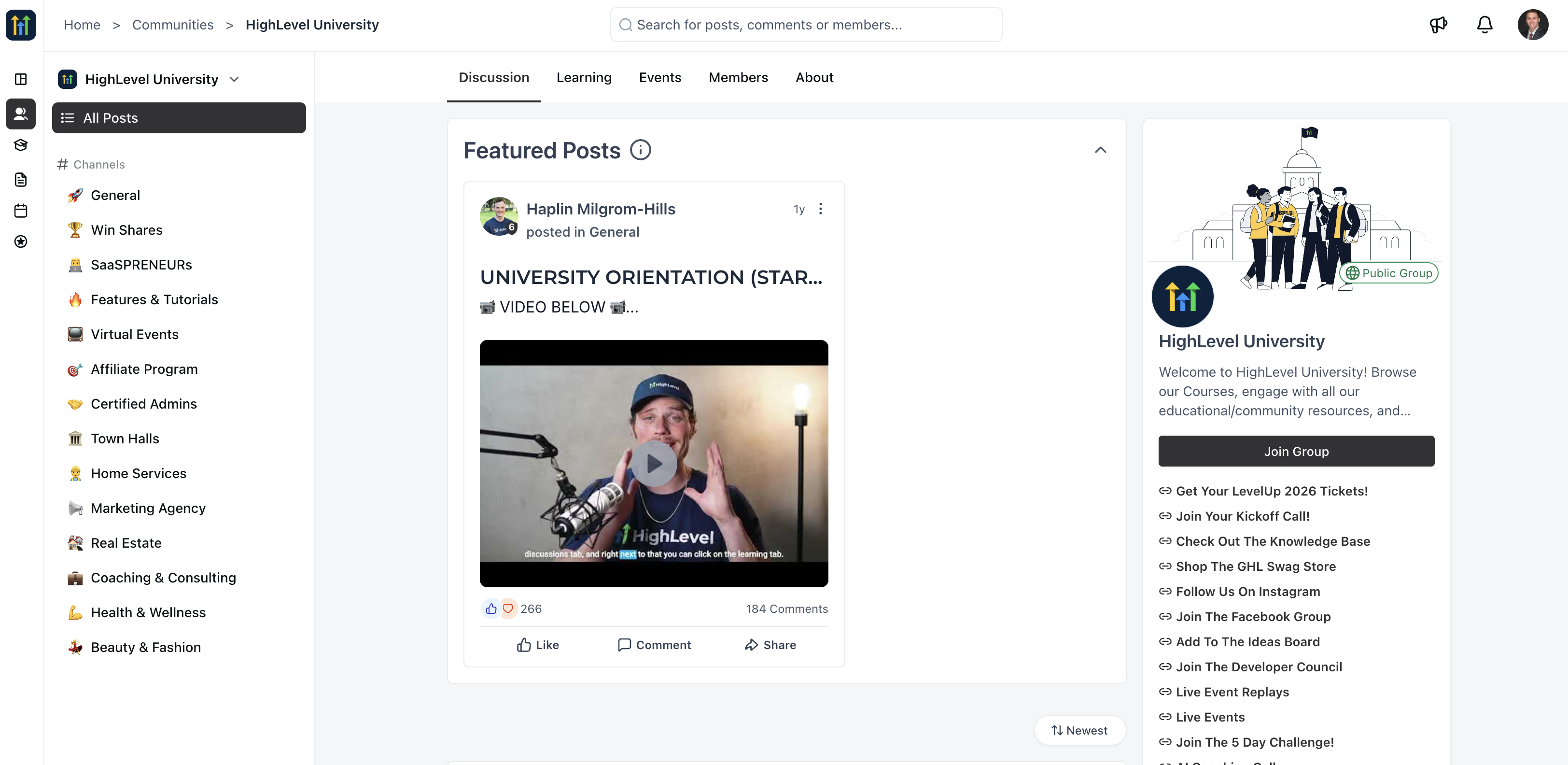
HighLevel Communities sits in the same account as your CRM, funnels and calendars. Members get a community space with groups, courses, events and live sessions, and community members are linked to contact records in your CRM, so you can follow up with them like any other lead.
Side by side, the community features are close. The differences show up in how those features connect to the rest of your business.
Community features as documented in October 2026.
Groups, Channels and Private Spaces
Each community holds one or more groups, and each group can be public or private. Channels organize conversations inside a group, such as announcements, questions or a VIP area, and each channel has its own privacy setting. Roles include Admin, Contributor and Member, and you can assign moderators when you create a group. Private groups work well for client-only communities and coaching programs.
Courses Inside Your Community
You can attach courses from your account to a group and sell courses inside your community. Each course uses one access rule:
All Members: open to everyone in the group
Level Unlock: opens when a member reaches a set leaderboard level
Buy Now: sold as a one-time purchase or a subscription
Time Unlock: opens a set number of days after a member joins
Gamification and Leaderboards
Members earn one point each time someone likes their post, comment or reply. Points move members through nine levels, and the leaderboard shows who is most active. You can rename the levels to fit your community, but the number of levels and the points each one requires are fixed, from 5 points for level 2 up to 33,015 for level 9. Levels apply to each group separately and do not reset.
Rewards are text you add for members to see, up to three per group, and you deliver them yourself. Two features go further than likes alone: Level Unlock ties course access to a member's level, and workflows can grant leaderboard points for other actions, such as registering for an event. The gamification guide lists the point thresholds for every level.
Live Sessions and Events
Go Live runs live sessions inside a group in two modes. Meeting Room is an interactive call with video, chat, reactions, hand raising and screen sharing. Stream Software mode broadcasts from tools like OBS, Zoom or StreamYard into the community, where members watch and chat. Sessions can be recorded and posted as a replay, and HighLevel's Go Live guide states there is no cap on participants or stream length.
Events can be free or paid, and you can show them to everyone or limit them to members of a course, a private channel or a member level. Members can add events to Google Calendar or iCal and receive reminder emails.
Paid Groups and Checkout
You can host a paid community by charging a one-time fee or a recurring subscription billed monthly or annually, with optional trial days. Checkout can apply the tax settings already configured in your payments. Members of a public paid group get access as soon as they pay, while private groups still require an admin to approve each request. When a member cancels, they are removed from the group automatically.
Your Brand, Your Domain and the Member App
You can run your community on a custom domain with your own logo, cover image and favicon. Members get Kollab, HighLevel's community and course platform, included on every plan at no extra cost. Members join on the web or through the Kollab app for iOS and Android, listed as Kollab by LeadConnector in the app stores, and you manage everything from GoKollab Studio, the creator hub inside your HighLevel account. If you want the app under your own brand, HighLevel also offers a branded client portal app that carries your business branding. GoKollab Discover also helps people find courses and communities through curated sections, sales pages and creator profiles.
Automating Your Community With HighLevel Workflows
This is where the two platforms differ most. In HighLevel, what members do in your community can start the same workflows that run the rest of your business.
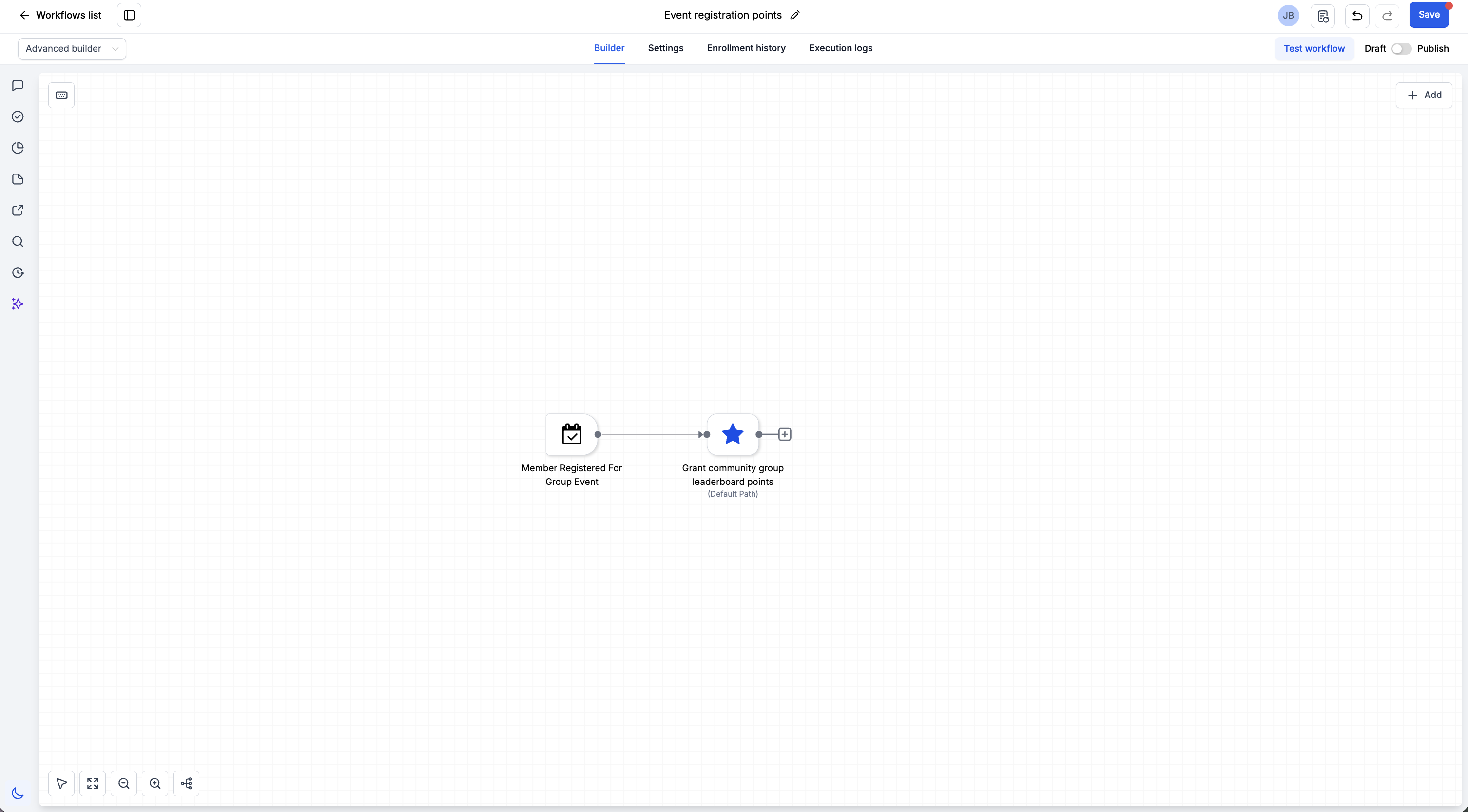
Communities workflow triggers include Group Access Granted, Group Access Revoked, Group Post Created, Group Comment Created, Member Registered for Group Event and leaderboard level changes. Workflow actions can grant or remove group access, open private channels, award leaderboard points, and send emails, text messages, tasks and tags. A few examples:
Someone buys your program through a funnel. A workflow grants access to the paid group and sends a welcome email and text.
A member comments with the word refund. A workflow creates a task for your support team.
A member registers for a live workshop. A workflow sends reminders and tags the contact so you can follow up with the replay or an offer.
On the Pro plan, Skool connects to other tools through Zapier, which can send member details to a CRM, invite members or open a course for them. Some of these flows are possible that way, but they run across separate apps instead of one contact record.
Skool vs HighLevel Pricing and Fees
Skool costs less to start. HighLevel costs more, and its plans include the marketing and sales tools Skool leaves out.
Skool has two plans: Hobby at $9 a month, or $7.50 a month billed yearly, and Pro at $99 a month, or $82 a month billed yearly. The pricing page lists a 10% transaction fee on Hobby and 2.9% on Pro. Skool's payments help article adds $0.30 per transaction on both plans and a 3.9% rate on Pro sales above $900. If a paying member finds you through Skool's discovery, Skool takes a 30% commission on that customer unless you turn the setting off. Because fees grow with revenue, they often matter more than the plan price. At $5,000 a month in member payments, the percentage fee alone is $500 on Hobby and $145 on Pro.
HighLevel has three plans: Starter at $97 a month, Unlimited at $297 and Founder at $497. Communities is included on every plan at no extra cost. See current plans and features on the HighLevel pricing page.
Which one costs less depends on what else you pay for. If Skool is your only tool, it is the cheaper option. If you also pay for a page builder, an email platform, a scheduler and a CRM, compare that total with a single HighLevel plan.
Skool or HighLevel: Which Fits Your Business?
The right choice depends on what you sell and how you get customers.
Choose Skool If the Community Is the Product
You sell a paid membership, a coaching group or a course with a community attached, you want the simplest setup possible, and you do not need funnels, a CRM, text messaging or booking.
Choose HighLevel If You Need the Business Around It
You sell coaching, services or programs and need landing pages, email follow-up, booking and a pipeline alongside your community. You want member activity to trigger automations. Or you run an agency and manage communities for clients in their own sub-accounts.
Running Skool and HighLevel Together
Some creators use HighLevel to capture and follow up with leads, then deliver the program in Skool. That setup works, with trade-offs: two logins for your team, member data in two places and two bills. HighLevel Communities can replace the Skool side when you want everything tied to one contact record.
Moving a Skool Group to HighLevel
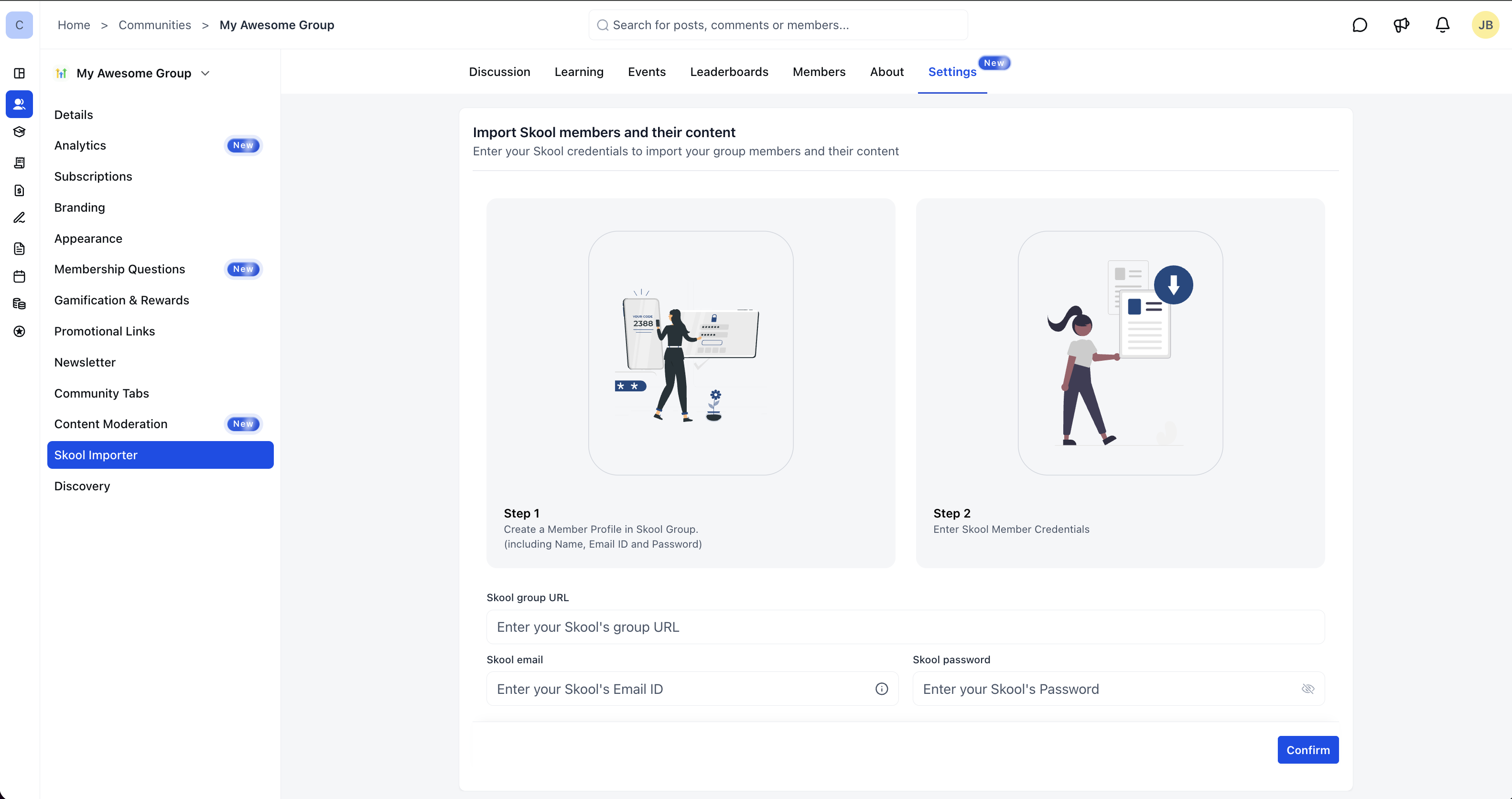
HighLevel includes a Skool Importer that brings over members and posts. In your HighLevel group settings, open the Import tab and enter your Skool group's URL slug, admin email and password. The importer creates a CSV file of your members. Fill in any missing email addresses without changing the profile slug column, upload the file, then import posts. Posts come over only for members who imported successfully, so complete the member list first.
Courses, events and automations are rebuilt in HighLevel, and the Skool to HighLevel migration guide walks through each step. Neither guide covers moving active paid subscriptions, so plan how members will be billed before you switch, and consider running both platforms for a short overlap while members move over.
Other Skool Alternatives Worth a Look
HighLevel is the right Skool alternative when you need the business around the community. If you only need the community itself, community-first platforms such as Circle and Mighty Networks work more like Skool. If the course matters more than the discussion, course platforms such as Kajabi and Thinkific are built around the curriculum first. If Kajabi is on your list, see how HighLevel compares with Kajabi.
Skool and HighLevel Questions Creators Ask
Does HighLevel have a community feature like Skool?
Yes. HighLevel Communities includes groups, channels, courses, a points and levels leaderboard, events, live sessions and paid access, in the same account as HighLevel's CRM and marketing tools.
How much does HighLevel cost compared with Skool?
Skool starts at $9 a month, or $7.50 a month billed yearly, plus a 10% transaction fee. HighLevel starts at $97 a month on the Starter plan, and Communities is included on every plan. Prices are in USD as of October 2026.
Can I move my Skool group to HighLevel?
Yes. The Skool Importer brings over members and posts. Courses, events and automations are rebuilt, and paid subscriptions need a billing plan before you switch.
Does HighLevel have gamification like Skool?
Yes. Members earn points when others like their posts and comments, move through nine levels and appear on a group leaderboard. Courses can open at a set level.
Can I host live calls inside a HighLevel community?
Yes. Go Live runs interactive meeting rooms, or broadcasts from OBS, Zoom or StreamYard, inside a group, with optional recordings members can watch later.
Is HighLevel harder to learn than Skool?
HighLevel takes longer to set up because it does more. Setting up the community itself means creating groups, channels and courses. The extra time goes into the parts Skool does not have, such as funnels and workflows, and the Communities setup guide covers the community side step by step.
Run Your Community and Your Marketing From One HighLevel Account
If your community is part of a bigger business, HighLevel lets you build the group, sell access, run live sessions and follow up with every member from the same account. Start your free trial and set up your first community group.